Stop copy-pasting AI into your spreadsheet.Run it where the work already is.
SheetAI puts text AI and bulk image, video & music generation inside Google Sheets. Write a formula. Fill the column. Ship the campaign.
Free with your own API key · Hosted plans from $12/mo
198k+ Installazioni, valutate 4.5/5 ⭐️ da 45 recensioni
One formula · entire column · real work
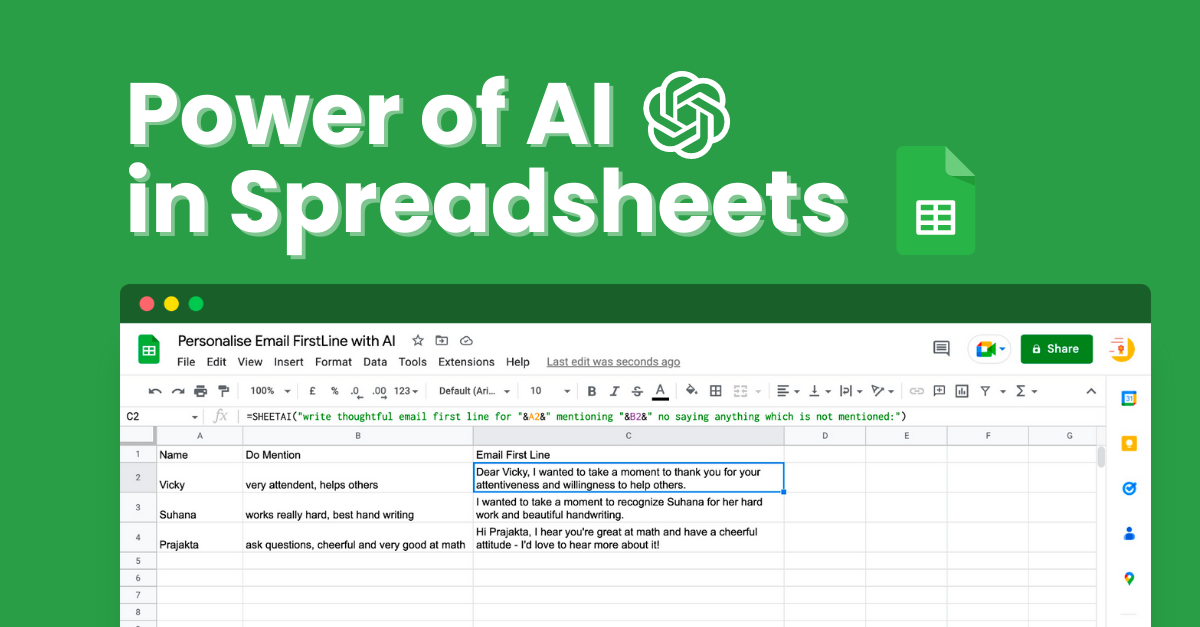
| A | B | |
|---|---|---|
| 1 | Prompt | Result |
| 2 | Write a tagline for a coffee brand | Wake up to brilliance, one cup at a time. |
| 3 | Write a tagline for a fitness app | Your goals. Your pace. Your victory. |
| 4 | Write a tagline for an eco brand | Small changes, big impact for the planet. |
Fill down
Turn one prompt into hundreds of rows of output
Text + media
Copy, images, video & music from the same sheet
$0 BYOK
Unlimited on your own keys — pay only providers
198k+
Installs on Google Workspace Marketplace
Affidato da università, aziende e professionisti di primo piano





The problem
Spreadsheets run the business. AI still lives outside them.
You already work in Google Sheets. Everything else — chatbots, image tools, video apps — forces you to leave, export, and glue work together by hand. That's the tax nobody budgets for.
Hours lost on the same work
Rewriting product descriptions, tagging feedback, cleaning columns — one row at a time. Your sheet is full. Your day is gone.
AI lives in another tab
ChatGPT → copy → paste → fix formatting → repeat. Context dies the moment you leave the sheet. Nothing scales.
Media is a separate circus
Images in Midjourney. Clips in Runway. Audio somewhere else. Then you still have to name files and match them to SKUs in a spreadsheet.
Tools don’t talk to your data
Your catalog, leads, and briefs already live in Sheets. Every other AI tool pretends that doesn’t matter.
No bulk. No fill-down.
You can’t drag a prompt down 500 rows in ChatGPT. Ops and marketing need factories, not chat threads.
“Just hire more freelancers”
Until budgets tighten. Then you’re back to the same sheet, same bottlenecks, same late campaigns.
The solution
Put AI where the work already is.
SheetAI is a Google Sheets add-on that turns your spreadsheet into a bulk AI workspace — formulas for text, data, and Replicate-powered media generation. No new app. No export ritual.
Stay in the sheet
Write a formula once. Drag it down. Every row gets an answer, a label, a description — or a generated asset.
One place for text + media
GPT-class writing and Replicate models for images, video, and music — next to the data that already drives your work.
Bring your own keys (free)
Use OpenAI, Claude, Gemini, Grok, or Replicate on your own bill. Or pick a hosted plan when you want zero setup.
Built for bulk, not demos
Campaign packs, catalogs, localization, research tables — the jobs that kill teams when done one cell at a time.
How it works
Live in under two minutes
No new workflow tool. No migration. Same Sheets, superpowers on.
Install the add-on
One click from Google Workspace Marketplace. Opens inside any Sheet you already use.
Connect a key (or use hosted)
Paste OpenAI / Claude / Gemini / Grok / Replicate — free BYOK. Or skip keys on a paid plan.
Write a formula. Fill down.
Describe the job in plain English. Drag the cell. Hundreds of rows become output — text or media.
When the brief needs more than text
Still stuck generating creatives one tab at a time?
Connect Replicate and generate images, video, and music the way ops already works — prompts in a column, formula fill-down, hundreds of assets without Midjourney, Runway, or a DAW.
Images at scale
Product shots, ad creatives, thumbnails — fill 200 rows, get 200 images. One formula.
=SHEETAI_IMAGE(A2)Video from prompts
Short clips and product reels generated row-by-row. Campaign packs without a video team.
Replicate models in SheetsMusic & audio
Background tracks, jingles, voice-ready stems — batch-generate audio for every SKU or scene.
Replicate audio models| # | A · Prompt | B · Output |
|---|---|---|
| 2 | Product hero shot — matte black headphones, studio light | image · 1024² |
| 3 | 15s product spin reel — white bg, soft rotation | video · 15s |
| 4 | Lo-fi product launch jingle — 30s, upbeat | music · 30s |
| 5 | Lifestyle ad still — model wearing headphones outdoors | image · 1024² |
| 6 | UGC-style unboxing clip — vertical 9:16 | video · 12s |
=SHEETAI_IMAGE(A2)· drag down column · every row = a new assetWho it's for
Same sheet. Different jobs. Zero extra tools.
homepage.useCases.description
homepage.useCases.items.0.title
homepage.useCases.items.0.description
| A | B | |
|---|---|---|
| 1 | Campaign | Ad Copy |
| 2 | Summer Sale | Hot deals, cool savings — up to 50% off! |
| 3 | Back to School | Gear up for success — shop now! |
homepage.useCases.items.1.title
homepage.useCases.items.1.description
| A | B | |
|---|---|---|
| 1 | Transaction | Category |
| 2 | Uber ride to airport | Transport |
| 3 | Lunch at Chipotle | Food |
homepage.useCases.items.2.title
homepage.useCases.items.2.description
| A | |
|---|---|
| 1 | Video Ideas |
| 2 | 1. 5-Minute Meals for Busy Weeknights |
| 3 | 2. Cooking Hacks That Actually Work |
homepage.useCases.items.3.title
homepage.useCases.items.3.description
| A | B | |
|---|---|---|
| 1 | Paper Abstract | Key Finding |
| 2 | This study examines... | AI improves diagnostic accuracy by 23% |
homepage.useCases.items.4.title
homepage.useCases.items.4.description
| A | B | |
|---|---|---|
| 1 | Lead | Follow-up Email |
| 2 | Demo with Acme Corp | Hi team, thanks for the demo — next steps... |
homepage.useCases.items.5.title
homepage.useCases.items.5.description
| A | B | |
|---|---|---|
| 1 | Role | Description |
| 2 | Senior Engineer | We're looking for a seasoned engineer to lead... |
“SheetAI ha rivoluzionato il modo in cui lavoro con i dati in Google Sheets. Le funzioni AI sono incredibilmente intuitive e mi fanno risparmiare ore di lavoro manuale ogni settimana. Posso generare contenuti, analizzare tendenze e creare report con semplici formule.”

“Come analista dei dati, SheetAI è diventato una parte essenziale del mio flusso di lavoro. La capacità di estrarre intuizioni e classificare i dati utilizzando funzioni AI direttamente in Sheets è un cambiamento radicale. Altamente raccomandato!”

SheetAI Pricing
Free with your own API key — or hosted plans. Credits available below if you only need bulk runs.
Free
Bring your own API key — unlimited AI in Sheets at your model cost
$0forever
Install freeHow to add your API keyWhat's included
- Use your own OpenAI, Claude, Gemini, Grok keys
- Replicate: bulk images, video & music in Sheets
- Unlimited SHEETAI calls (via your key)
- Unlimited formula generation
- You only pay your AI / Replicate bill
Starter
Hosted usage without managing keys — light daily use
$12/month
What's included
- No API key required (hosted AI)
- Up to ~500 AI runs / month
- AI formulas & =SHEETAI functions
- BYOK + Replicate media models
- Formula generator (sidebar)
- Email support
Pro
Hosted power use + bulk media workflows for marketers
$29/month
What's included
- No API key required (hosted AI)
- Higher AI usage (soft unlimited)
- Bulk image / video / music via Replicate
- Bulk fills, classify & summarize
- BYOK multimodel (OpenAI, Claude, Gemini, Grok)
- Priority support
Save ~2 months
Pro Yearly — $290/year
Same as Pro monthly, billed once a year.
Or pay as you go
Credit packs
One-time purchase for bulk jobs — no subscription. Like GPT for Work packs.
From $29
Need a team / domain license? Email support@sheetai.app

Ready when you are
Your next campaign shouldn't start in five tabs.
Install SheetAI, connect a key (or go hosted), and run AI next to the data you already trust. Text today. Images, video, and music when the brief needs more.
198k+ installs · Free with your own API key