
Simple Techniques to Create Clear YouTube Video Summaries Quickly
YouTube has millions of videos covering everything from step-by-step tutorials and expert talks to podcasts, interviews, and entertainment. While this wealth of content is valuable, watching full-length videos isn’t always practical, especially when you’re short on time or only need specific information. Video summarization solves this problem by condensing long videos into clear, easy-to-understand key points.
Summaries help you quickly grasp the main ideas without sitting through an entire video, making them ideal for students, professionals, and content creators alike. They are useful for learning new topics faster, revising important concepts, sharing insights with others, or repurposing content for blogs, newsletters, and social media. Summarizing videos also improves productivity by helping you decide whether a video is worth watching in full.
In this guide, we will learn why video summaries are important, the different ways they can be used, and the most efficient methods to create them, whether manually or with the help of AI tools, so you can save time while still getting maximum value from YouTube content.
Why Summarize YouTube Videos?
1. Saves Time:
Summarizing YouTube videos helps you get straight to the core message without watching lengthy content, allowing you to learn faster and manage your time more efficiently.
2. Better Understanding:
By breaking down videos into key points, summaries remove distractions and highlight what truly matters, making concepts easier to understand, remember, and apply in real life.
3. Easy Sharing:
Summaries turn long videos into short, shareable insights that are easy to pass along to friends, teammates, or online audiences, saving them time while delivering value.
4. Content Creation:
Summarized videos can be reused as blog posts, social media captions, email content, study notes, or presentation outlines, making content creation quicker and more effective.
Methods to Summarize YouTube Videos
1. Manual Method:
2. AI Method:
AI tools can automatically generate summaries by analyzing the video content. These tools save time and often produce clear, structured results.
How to Summarize a YouTube Video Manually:
Step 1: Watch the video.
Watch the video once to understand the overall concept.
Step 2: Take Notes.
Pause and note down key points, examples, and timestamps.
For this, you can use Google Docs, or you can write on paper.
Step 3: Pick the Main Ideas
Focus on important concepts and skip minor details.
Step 4: Organize Notes
Arrange points logically and add headings if needed.
Step 5: Write Summary
Turn notes into short paragraphs or bullet points in your own words.
If you want a summary, as a soft copy, you can use Google Docs and save it as a PDF.
Step 6: Review
Check for clarity, remove unnecessary info, and refine.
How to Summarize a YouTube Video Using ChatGPT
Step 1: Get the Video Transcript
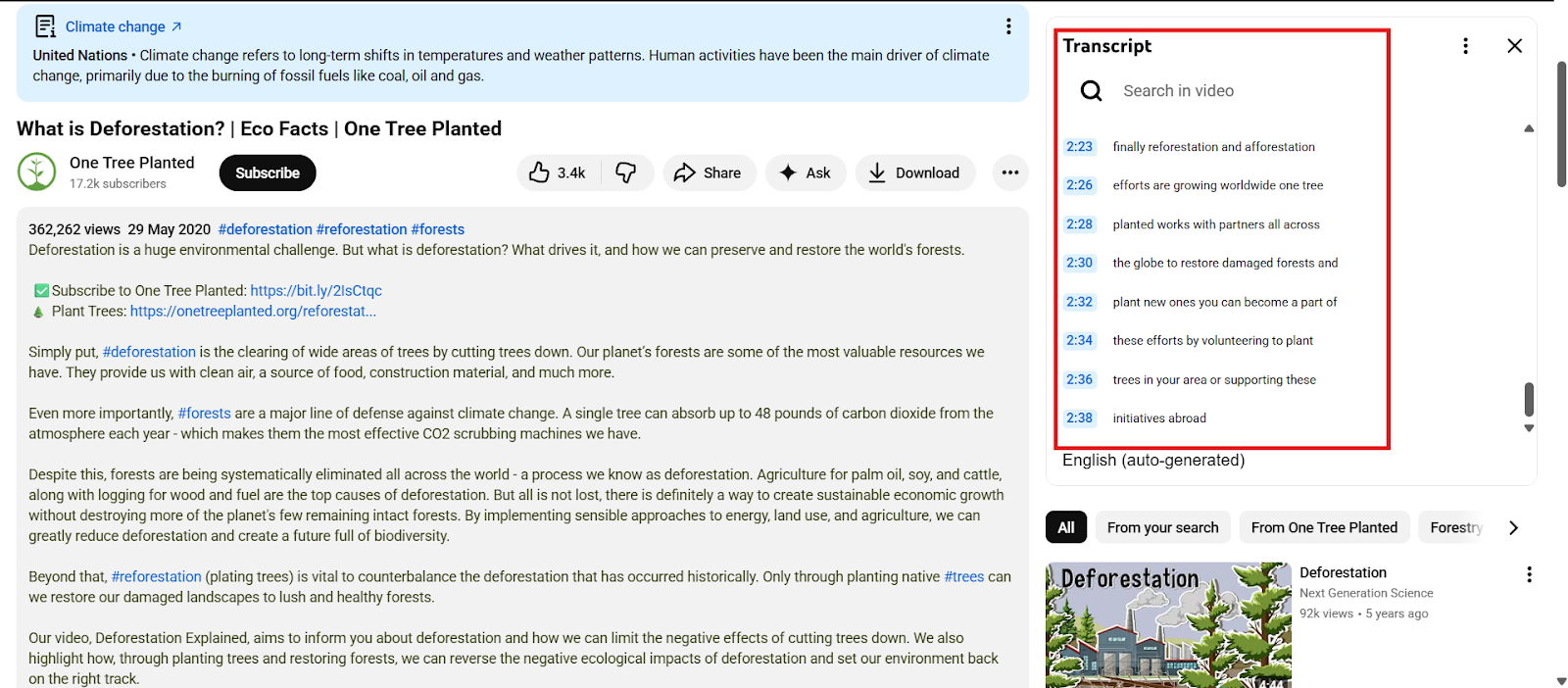
Many YouTube videos have automatic transcripts.
Click the three dots under the video and select Show transcript, then copy the text.
If there are no transcripts, you can use online tools to extract them.
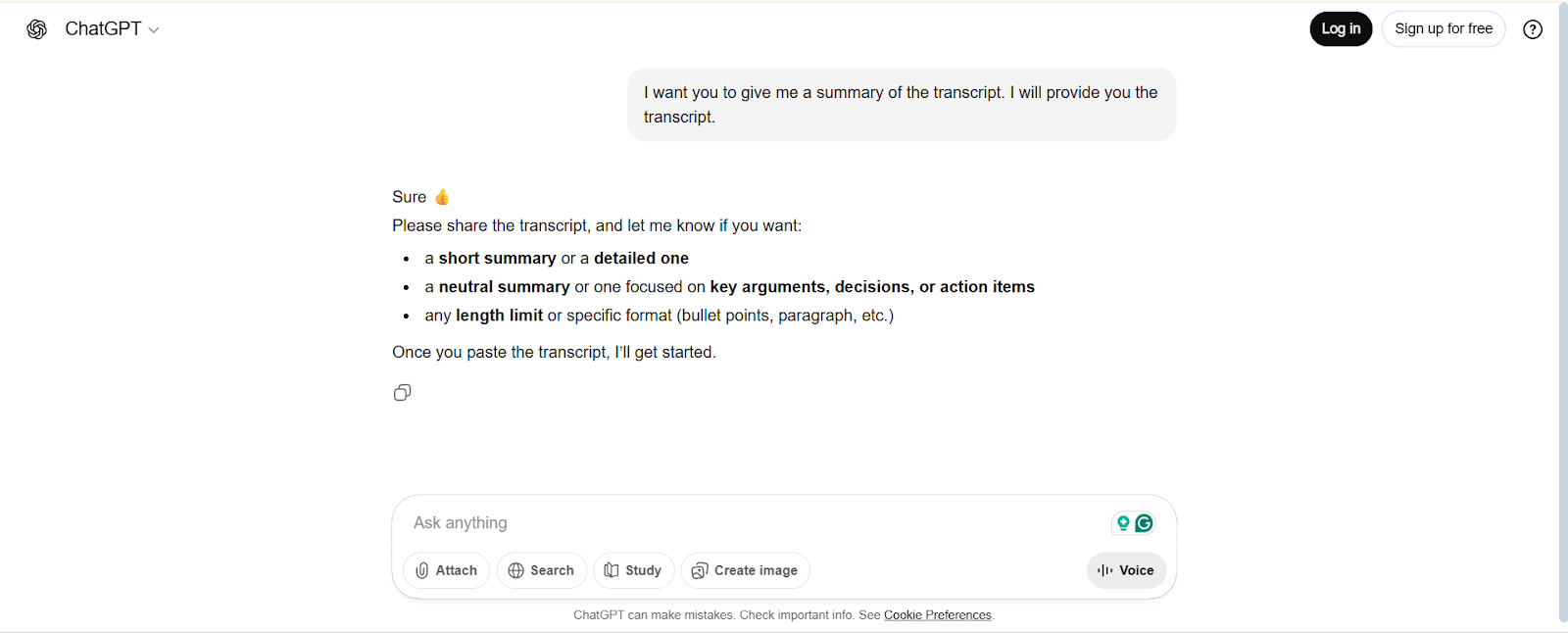
Step 2: Open the ChatGPT
Go to ChatGPT and start a new conversation.
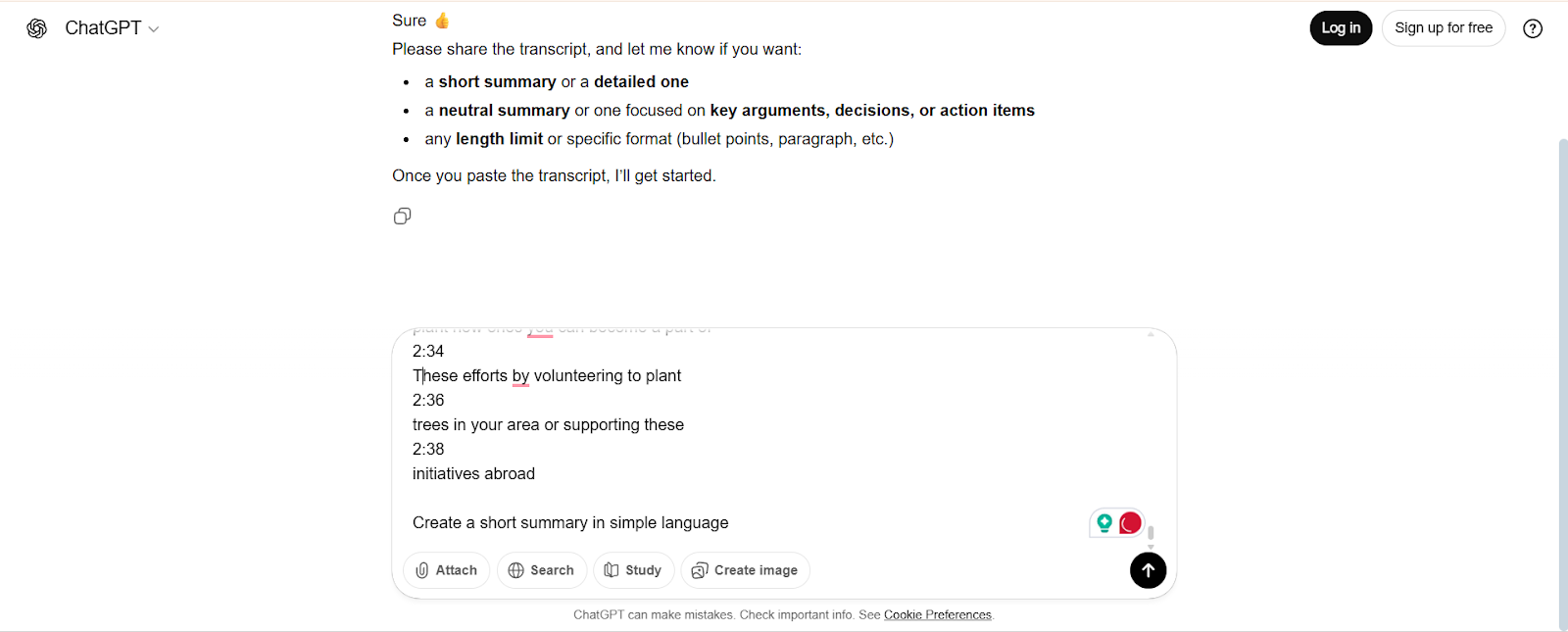
Step 3: Provide the Transcript
Paste the transcript into ChatGPT.
You can also include instructions like “Create a short summary in simple language.”
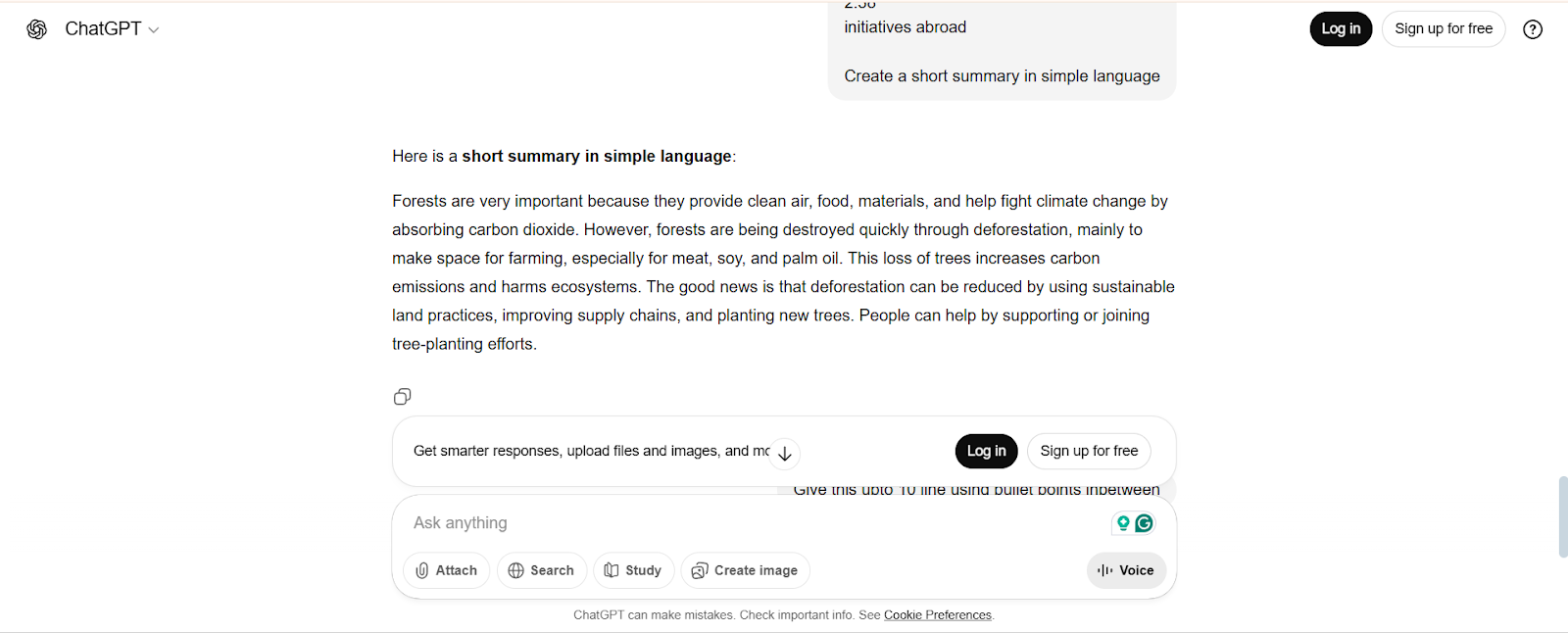
Step 4: Get the Summary
ChatGPT will analyze the transcript and provide a concise summary.
You can ask it to rephrase, shorten, or make it more detailed if needed.
Step 5: Review and Edit
Quickly go through the summary to ensure it captures the main ideas.
Make small edits if necessary to improve clarity or accuracy.
Create an engaging summary with MagicSlides.
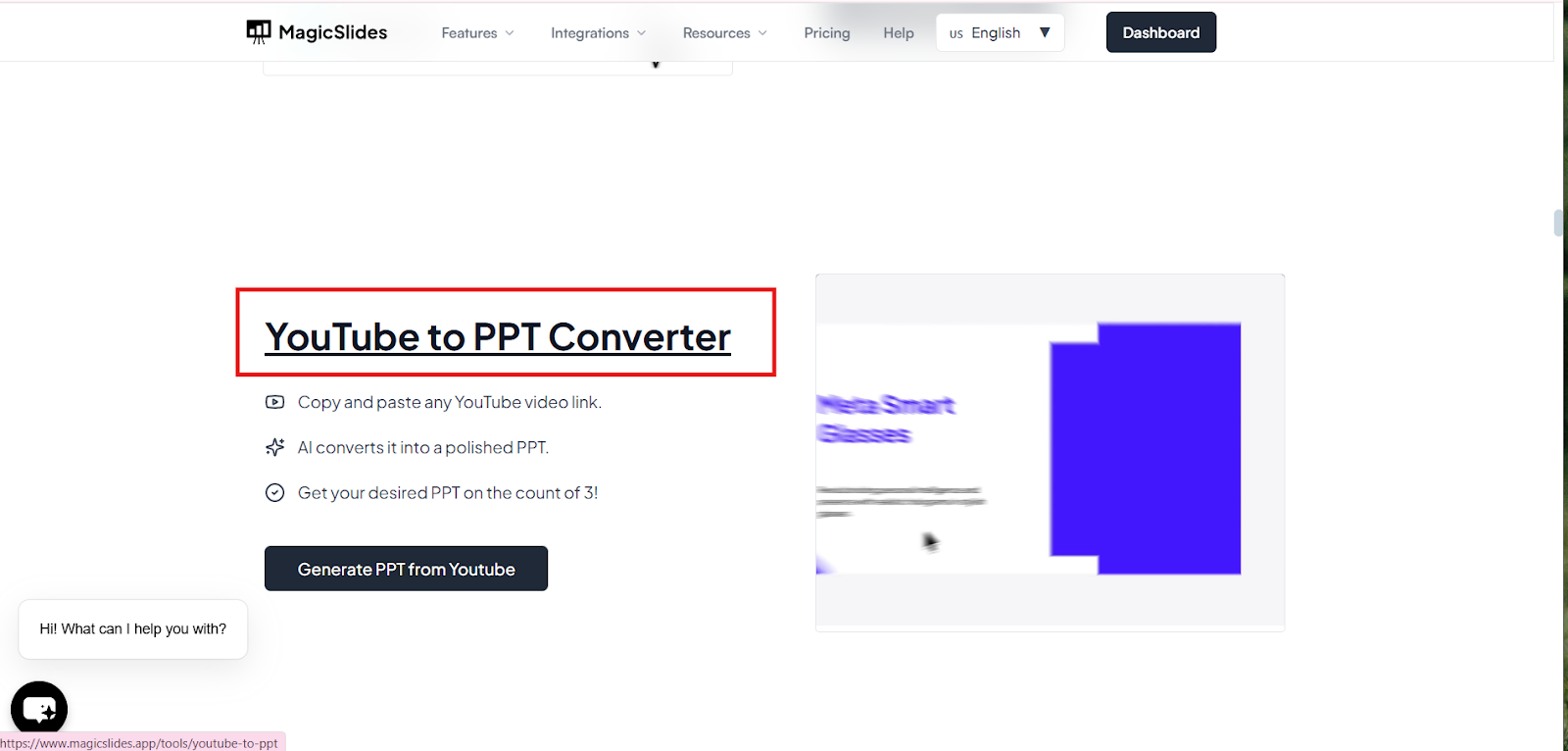
MagicSlides allows you to convert YouTube videos into a presentation, which is a more engaging way of summarizing the content and makes you stand out in the crowd.
Step 1: Copy the YouTube Video URL
Step 2: Open MagicSlides.app
Log in or create an account.
Step 3: Choose the YouTube to PPT/Slides Feature.
Inside MagicSlides, select the option to convert a YouTube Video to a PPT Converter
Step 4: Paste the Video URL
Step 5: Generate
This eliminates the need to watch the entire video or manually transcribe anything.
Tips to Summarize Videos Better:
1. Focus on headings, key points, and examples:
Pay close attention to section headings, repeated ideas, and real-life examples, as these usually represent the core message of the video and help capture its true intent.
2. Skips unnecessary details:
Avoid including filler content, long introductions, or off-topic stories, and concentrate only on information that directly supports the main topic.
3. Use timestamps for longer videos:
Adding timestamps to important sections allows you to revisit specific parts quickly and makes your summary more organized and useful for future reference.
4. Combine AI summaries with your own notes:
AI tools can quickly generate summaries, but reviewing and refining them with your own notes ensures better accuracy, context, and personalization.
5. Watch in shorter segments:
Breaking videos into smaller sections makes it easier to process information, identify key ideas, and write clearer, more structured summaries.
6. Highlight action points:
If the video is educational or instructional, clearly list steps, tips, or takeaways so the summary becomes practical and easy to apply.
7. Keep your audience in mind:
Adjust the tone, length, and level of detail depending on whether the summary is for personal learning, teams sharing, or content creation.
Final Thoughts:
Summarizing YouTube videos is a powerful way to save time while still gaining maximum value from the content youwatch. Instead of spending hours on long videos, summaries help you quickly identify and focus on the most important ideas, making information easier to understand and remember. They also simplify sharing insights with others and allow you to revisit key points whenever needed.
You can create summaries manually by taking notes, highlighting main concepts, and organizing ideas into a clear structure, which helps deepen understanding. Alternatively, AI tools like ChatGPT and MagicSlides can generate fast, well-structured summaries in just minutes, making the process more efficient. When you combine manual review with AI-generated summaries, you ensure better accuracy, clarity, and relevance. This balanced approach makes video summarization effortless and highly effective for learning, content creation, research, and knowledge sharing.
Also Read:
If you’re working with tools like Google Sheets, knowing how to wrap text properly can make your content cleaner and more professional. Want to take your workflow further? Check out the blog where we explore advanced techniques to organize, format, and optimize your content like a pro.
Quick FAQ’s:
Q 1: Do I need the full video to create a summary?
No, a transcript is usually enough to generate a summary
Q 2: Is summarizing useful for content creation?
Yes, it helps in creating blogs, notes, and presentations faster.
Q 3: How long should a YouTube video summary be?
A good summary is usually 5-10 bullet points or a short paragraph.
Q 4: Do I need special skills to summarize videos?
No, basic listening and note-taking skills are enough.
Q 5: Are summaries helpful for presentations?
Yes, they make it easy to turn video content into slides.
Q 6: Is manual summarizing better than AI summarizing?
Manual gives more control, while AI saves time; using both works best.
Q 7: Can I summarize YouTube videos on my phone?
Yes, you can summarize videos using mobile-friendly tools or manual notes.
Q 8: Can I update a summary later?
Yes, summaries can be edited anytime as your understanding improves.
Q 9: Are AI-generated summaries customizable?
Yes, you can refine tone, length, and format as needed.