
Presentation Techniques: How to Create and Deliver Presentations That Impress
Presentations are more than slides with text and images. Presentations are opportunities to share powerful ideas, influence decisions, and connect with your audience. Whether you are presenting in a classroom, a business meeting, or a conference, strong presentation techniques can turn ordinary talks into memorable experiences.
In today’s world audience expect clarity, engagement, and professionalism. This means good content alone isn’t enough; how you structure, design, and deliver your message matters just as much. With the right techniques and tools, anyone can develop presentations that inform, entertain, and inspire.
Why Presentation Techniques are important:
Presentation is communication. Presentation techniques are the methods you use to structure your content, support your ideas visually, and deliver your message confidently. These techniques help ensure your audience actually understands and remembers what you say.
1. Enhance Audience Understanding
A well-structured presentation guides listeners through your ideas in natural and logical ways.
2. Increase Engagement:
Techniques like storytelling, relevant visuals, and interactive elements keep the audience tuned in. People like to remember stories and visuals rather than long lists of facts.
3. Boost Your Confidence:
When you use effective techniques, like clear structure and rehearsed delivery, you feel more prepared and confident. This shows in your voice, body language, and overall presence.
4. Make Your Message Memorable:
Great presentations make ideas stick. Techniques like strong openings, concise summaries, and calls to action help your content have a lasting impact.
Inshort, mastering strong presentation techniques makes your content easier to absorb, your delivery more compelling, and your audience more engaged.
How to Create a Presentation that Wins:
A winning presentation doesn’t happen by accident; it’s crafted. Below is a step-by-step process you can follow from start to finish.
Step 1: Understand your Goal and Audience
Before creating a single slide, ask:
Knowing your goal helps you tailor your message. Knowing your audience helps you choose the right language, examples, and visuals. For example, a technical audience might appreciate data charts, while a general audience might respond better to stories and simple visuals.
Step 2: Draft a Clear Outline
A strong structure is the backbone of any presentation. Most effective talks follow this flow:
This classic structure helps your audience follow yourthoughts naturally and keeps your presentation focused.
Step 3: Design Slides That Support Your Message
Slides should be visual aids, not scripts. The content on your slides should support what you say, without overwhelming the audience with text.
Here are practical tips for slide design:
Step 4: Write Speaker Notes and Practice
Once your slides are ready, it’s time to rehearse. Don’t read straight from the slides; use speaker notes to organize your thoughts. Practice out loud multiple times to:
If possible, rehearse in front of someone, or even record yourself. Feedback helps you see areas to improve.
Tools to Use to Create a Presentation:
Choosing the right tools can make your work smarter and faster. Below are two tools, one for the Manual workflow and one for the AI workflow.
Method 1: PowerPoint for Manual Workflow:
Microsoft PowerPoint remains one of the most popular tools for creating presentations. It gives you full control over:
Step-by-Step Guide on Using PowerPoint to make a visually appealing presentation:
1. Open PowerPoint and pick a clean template.
2. Add slides with one main idea each.
3. Insert visuals (Charts, images, icons).
4. Adjust color, font, and alignment.
5. Practice with Slideshow mode.
PowerPoint is ideal when you want complete design control and fine-tuned customization. But knowing how to design visually appealing slides is what truly makes a presentation stand out.
If you want a simple, step-by-step guide on creating PowerPoint slides, check how to make a visually appealing presentation with PowerPoint. It covers a practical guide with screenshots to turn your presentation professional and engaging.
Method 2: MagicSlides for AI Workflow:
AI tools like MagicSlides help save time by automating parts of the design process. You can simply input your topic or text, and MagicSlides, an AI Presentation Maker, can:
Step-by-Step instructions using MagicSlides:
Step 1: Log in or sign up to Magicslides.app
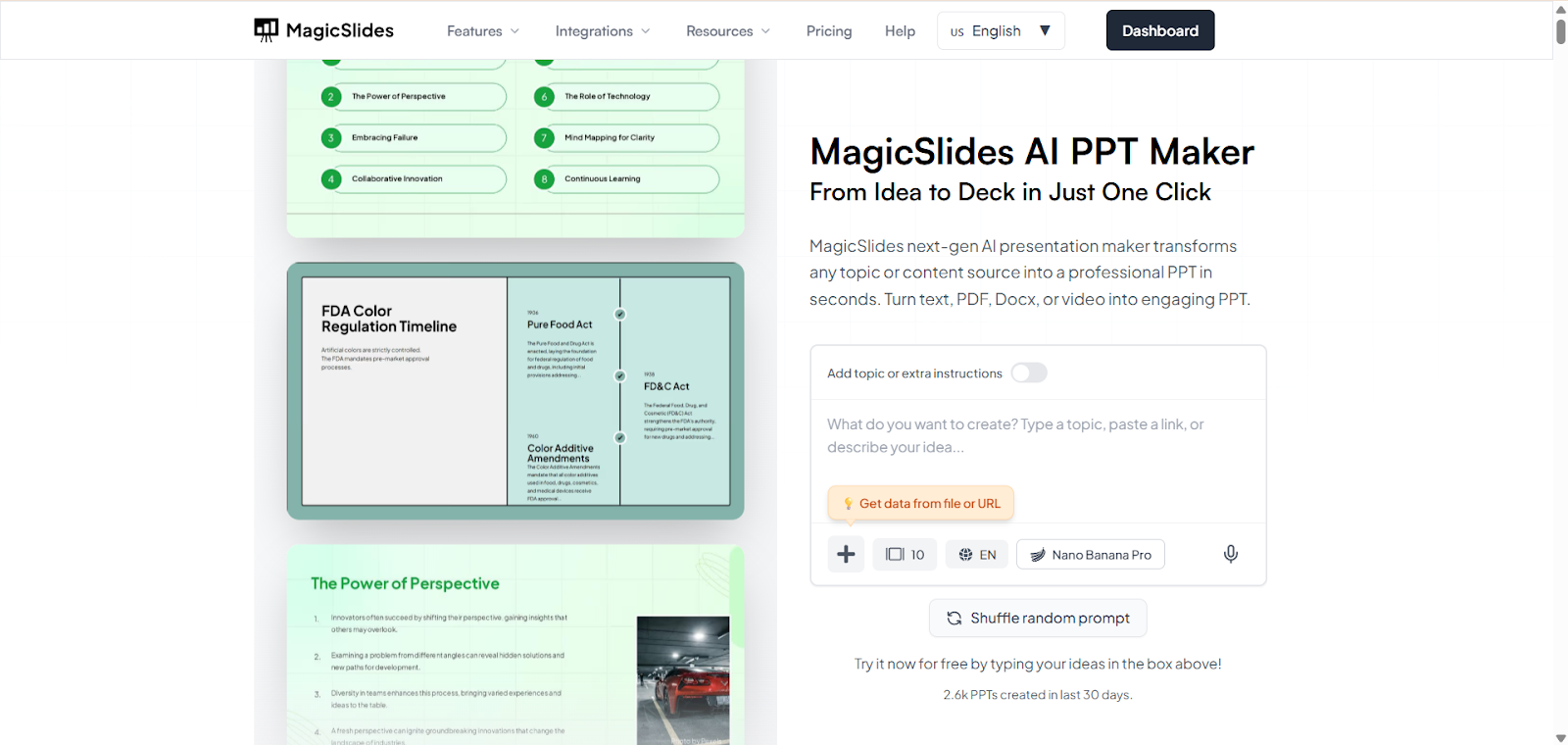
Step 2: Enter your content, whether it could be text, a document, a link, or an image.
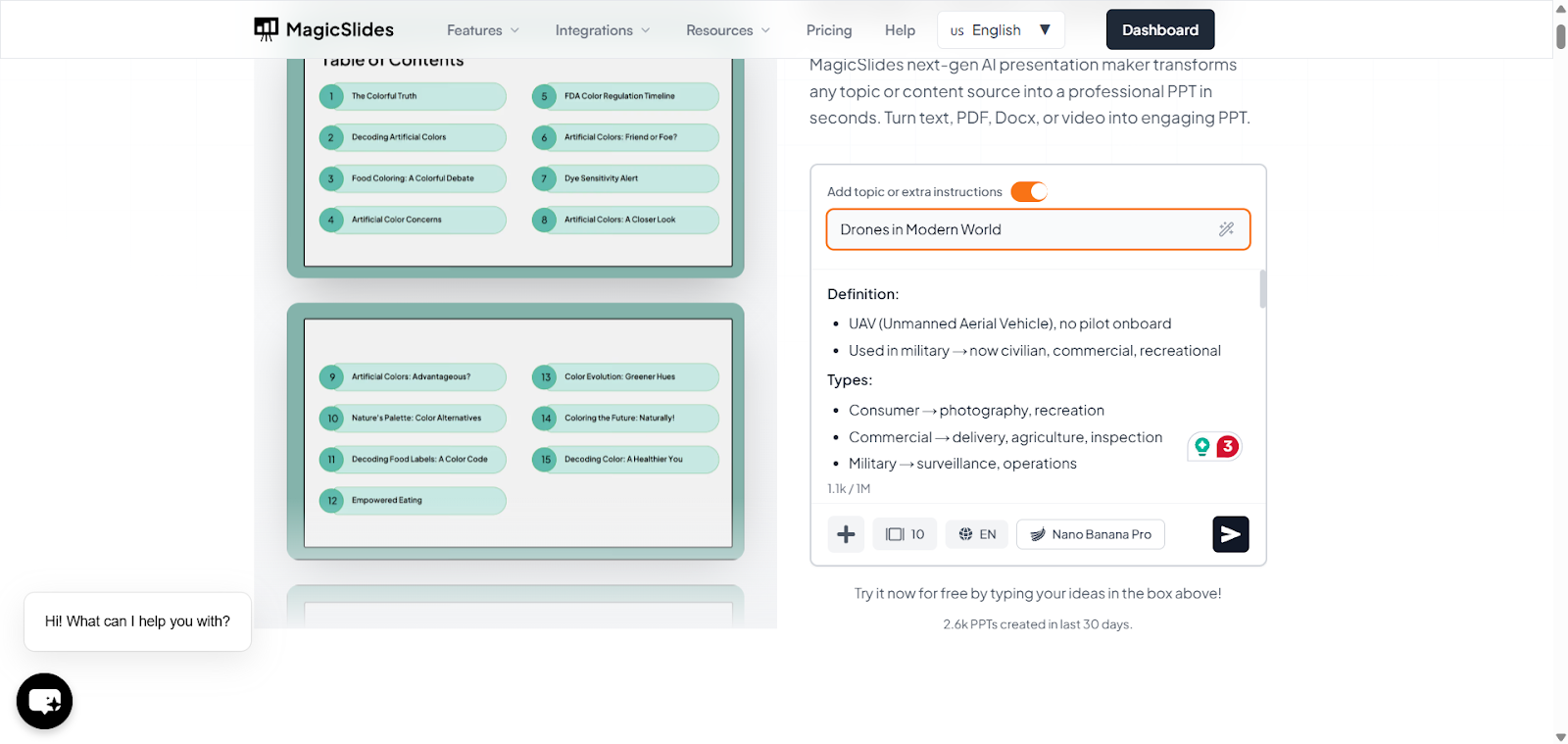
Step 3: Select the professional templates from the MagicSlides.app library
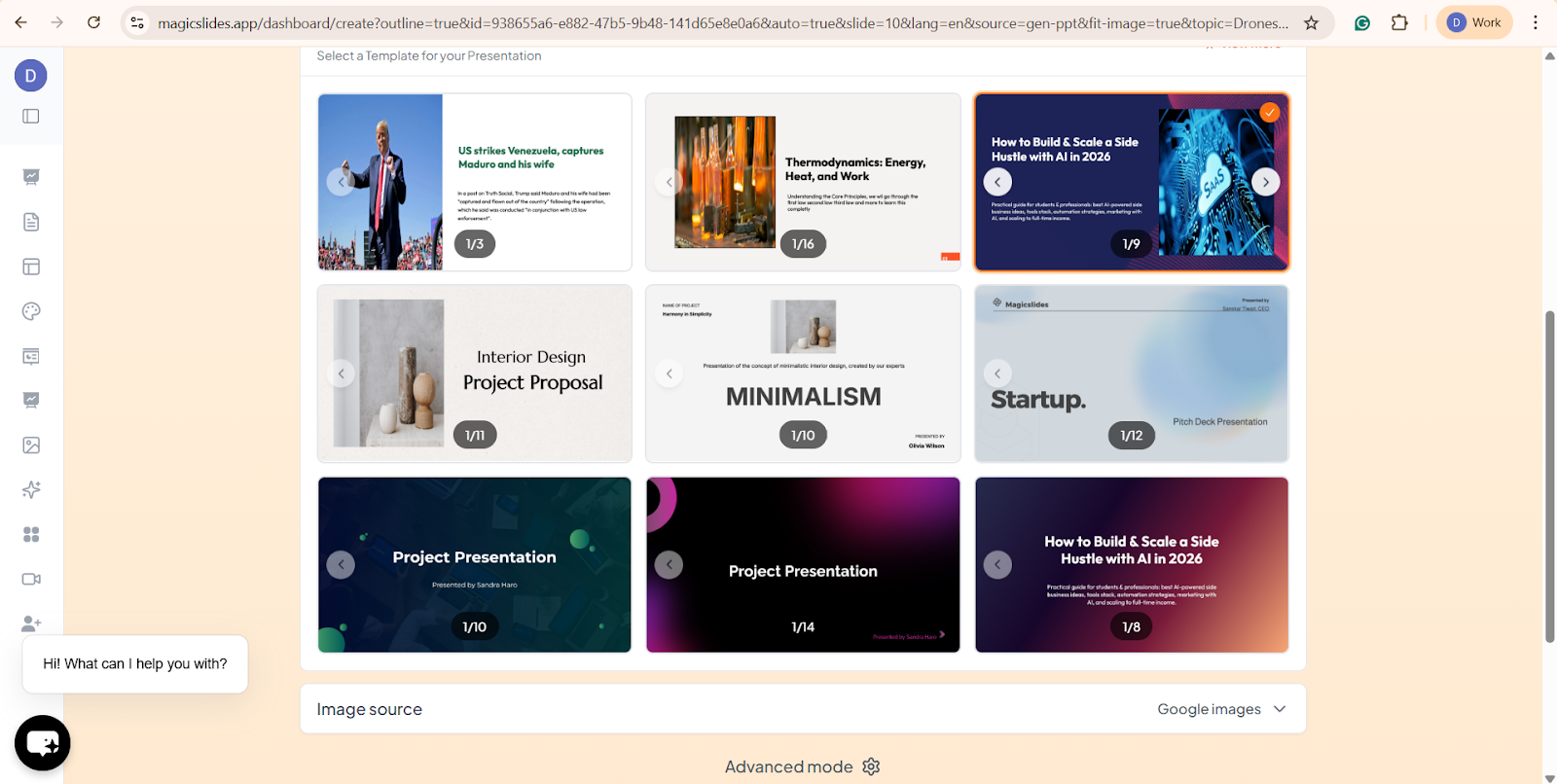
Step 4: Let the AI generate a draft deck
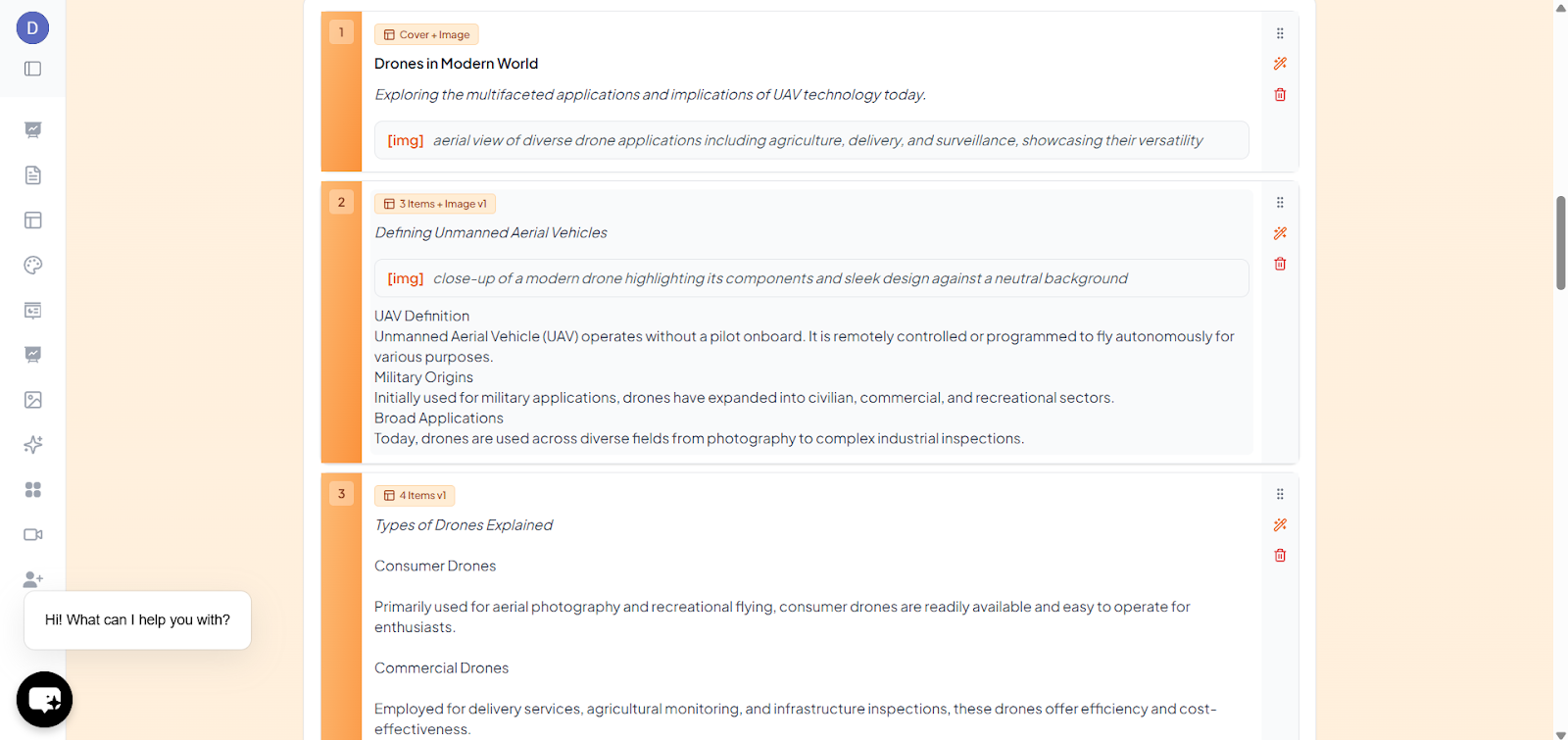
Step 5: Review and edit slides for accuracy and style.
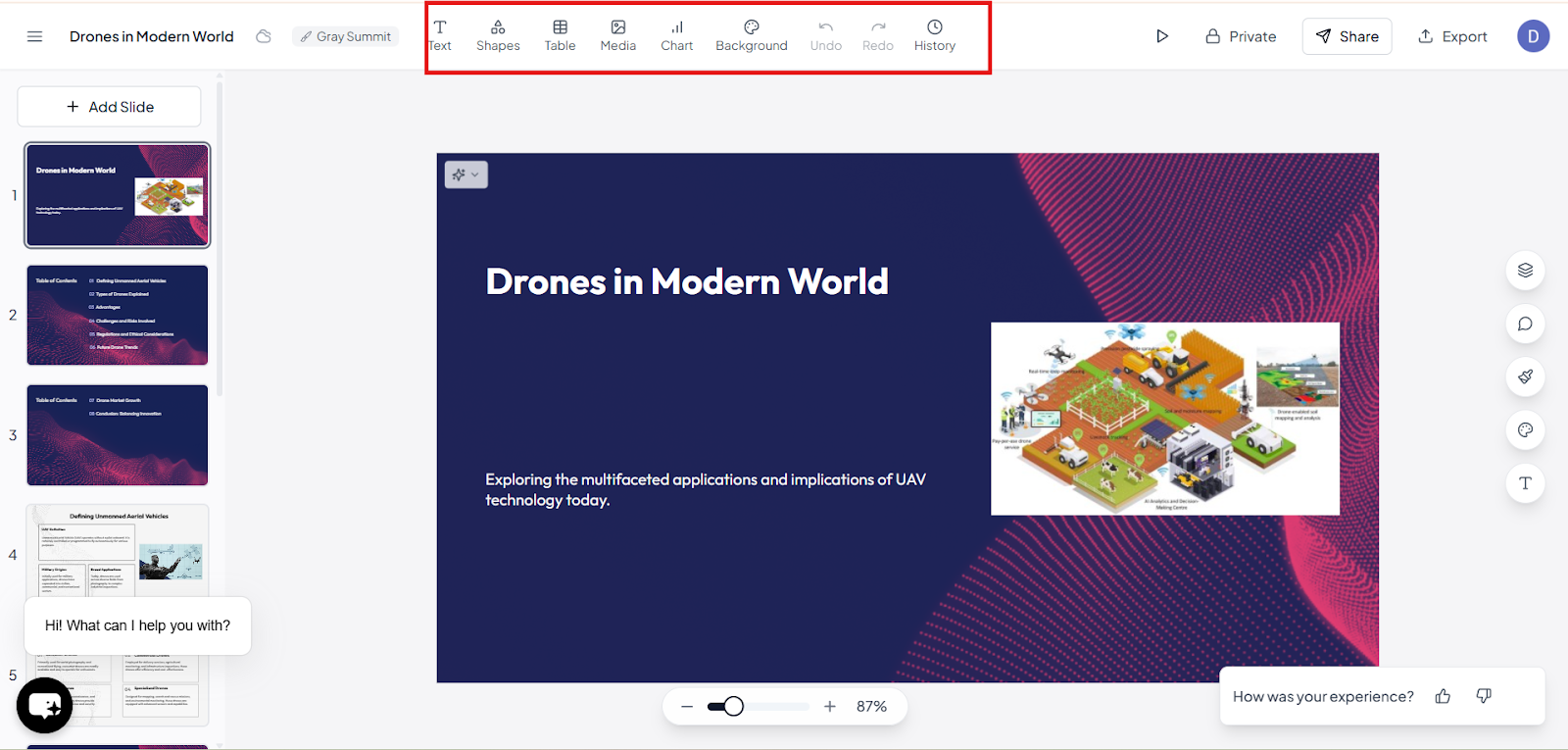
Step 6: Download or Present
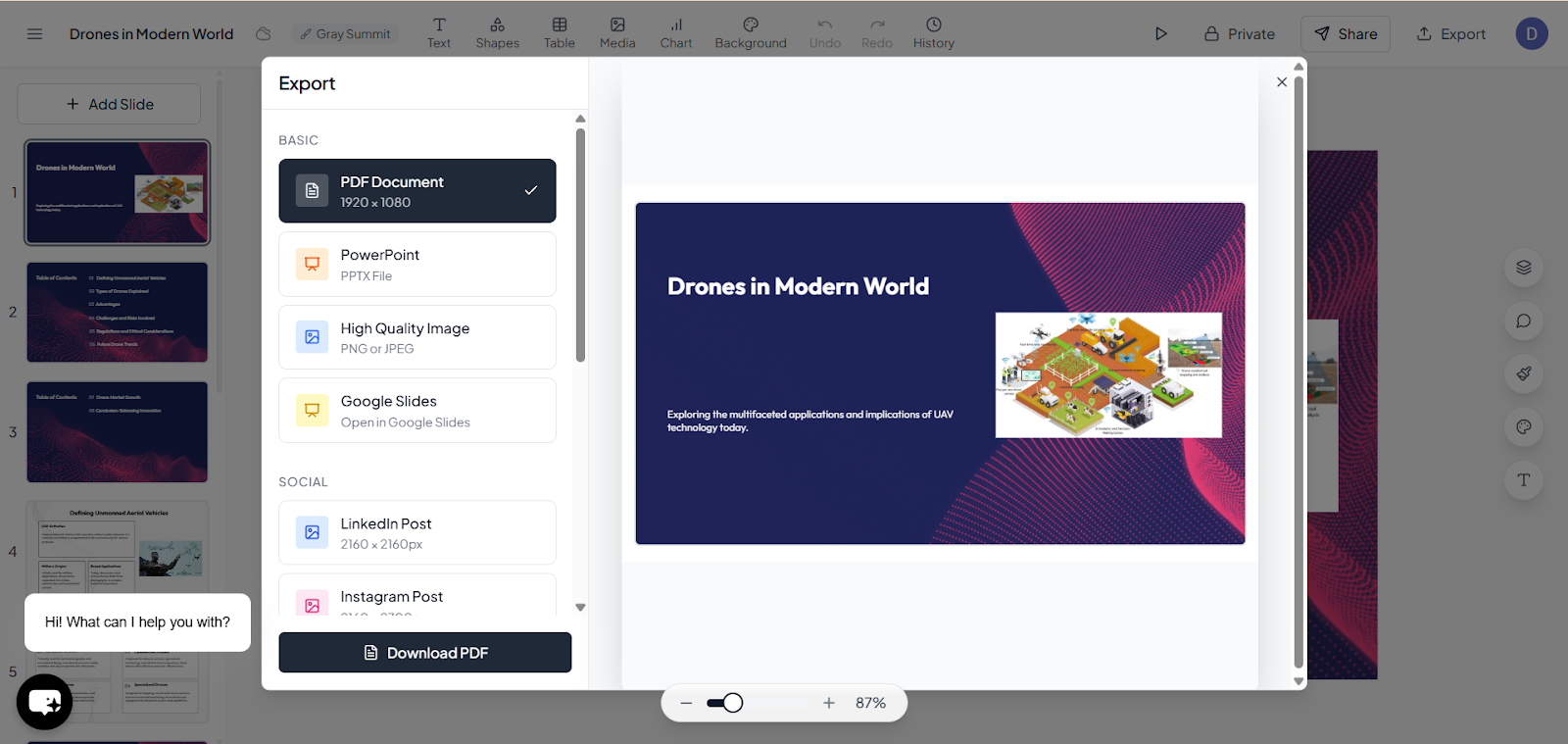
AI tools are helpful when you need to create a presentation quickly or don’t have advanced design skills. They automatically suggest layouts, visuals, and structure, saving time while maintaining a professional look. This allows you to focus more on your message than on spending hours on design details.
Tips for Making an Engaging Presentation.
Making a compelling presentation involves more than just good slides. Below are techniques that professional presenters use to engage their audience.
1. Start with a Strong Opening
Your introduction sets the tone. A strong opening could be a surprising fact, a relevant story, or a bold question that sparks curiosity.
2. Tell Stories
Stories help people connect emotionally with your message. Rather than presenting a list of facts, frame them in narratives, like problems and solutions, that your audience can relate to.
3. Use Clear and Confident Body Language
Stand tall, make eye contact, and use gestures to emphasize points. This helps you build trust and keep attention on you.
4. Engage Your Audience
Ask questions, encourage participation, or use interactive elements like polls or Q&A. This makes listeners feel like participants instead of passive viewers.
5. Speak Clearly and vary Your Voice
Avoid speaking in a monotone. Varying your tone and spacing keeps the audience interested and helps highlight key points.
6. Practice Effective Timing
Use pauses purposefully; a brief silence after a key point gives the audience a moment to absorb the idea.
Final Thoughts:
Great presentations are built on thoughtful planning, clear structure, engaging visuals, and confident delivery. By understanding your audience, crafting a solid outline, designing supportive slides, and practicing your performance, you can communicate your ideas with clarity and impact.
Whether you prefer the control and flexibility of PowerPoint or the time-saving convenience of AI tools like MagicSlides, the key is to use the tools to enhance your message, not replace your
With practice and techniques, you can create a professional presentation and leave a lasting impression on your audience.
Quick FAQ’s:
Q 1: What’s the first step in making a good presentation?
Start by understanding your purpose and your audience. This determines your tone, content, and design choices.
Q 2: How much text should I put on slides?
Keep text minimal, keep short bullets or keywords. One idea per slide helps prevent clutter.
Q 3: Should I use AI tools to make my slides?
Yes, AI tools like MagicSlides can save time and provide professional layouts, but always review and customize to ensure accuracy and relevance.
Q 4: How do I keep the audience engaged?
Use stories, ask questions, vary your tone or voice, and include visuals that support your points.
Q 5: What’s the best way to practice my presentation?
Rehearse loud multiple times, ideally in front of someone or by recording yourself, to refine timing, confidence, and clarity.
Q 6: How long should a presentation ideally be?
A good presentation is as long as it needs to be. In most cases, 10-20 minutes works well, as it keeps the audience engaged without overwhelming them.