
Canva vs MagicSlides: Which Presentation Tool is Faster, Smarter, and Best for You?
Presentations have transformed from manually designed slides to AI-Powered slide generation experiences. Today, tools like MagicSlides and Canva help users create professional presentations faster and more engaging than before.
While Canva is widely known as a multi-functional design platform, MagicSlides focuses on AI-driven presentation creation. In this blog, we will go through how each tool works, compare its key features, and understand its workflows.
How to Use Canva for a Presentation?
Canva allows users to create presentations through a visual, drag-and-drop interface.
Steps involved in creating a presentation:
Step 1: Sign in to Canva and choose “presentation” from the homepage.
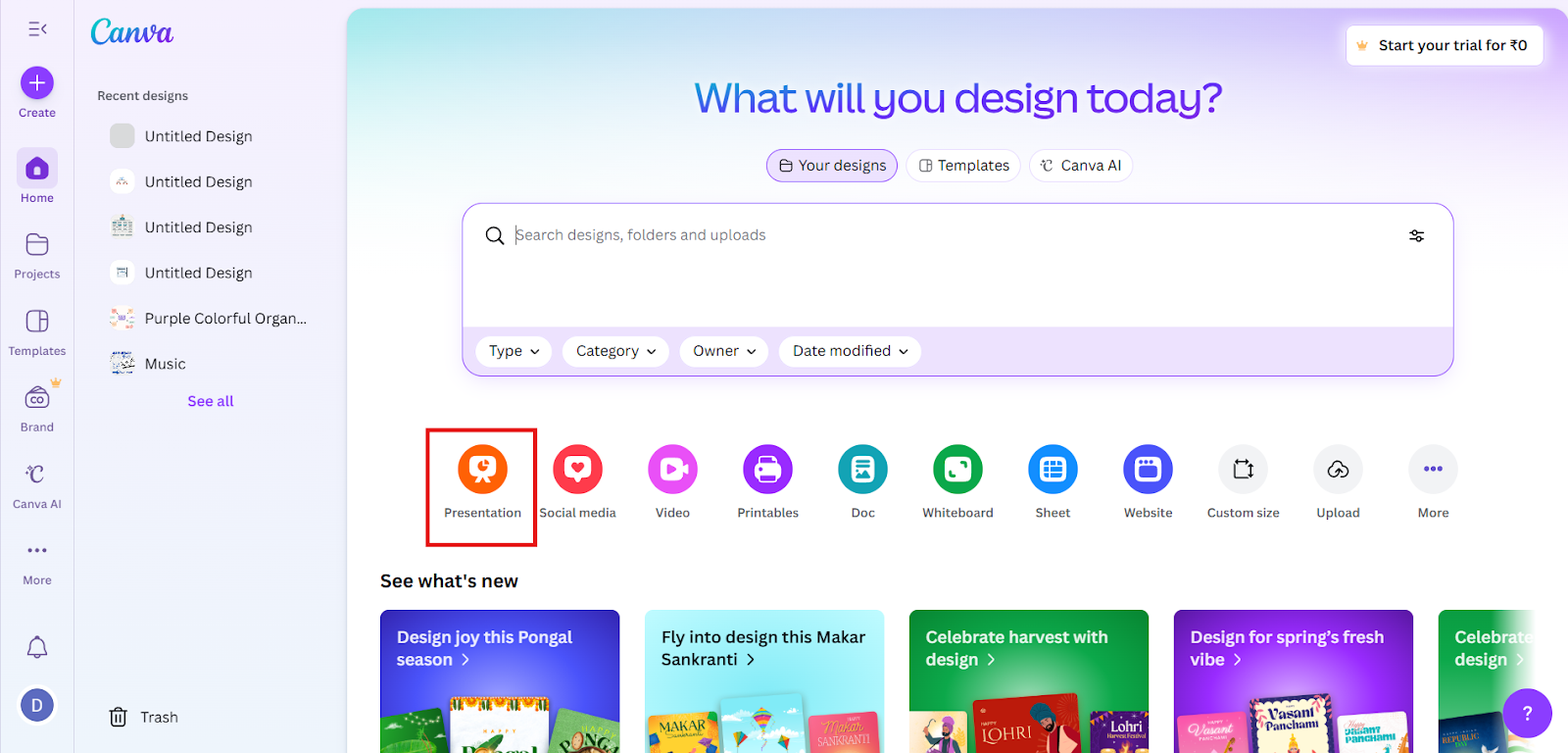
Step 2: Select a template from Canva’s extensive template library.
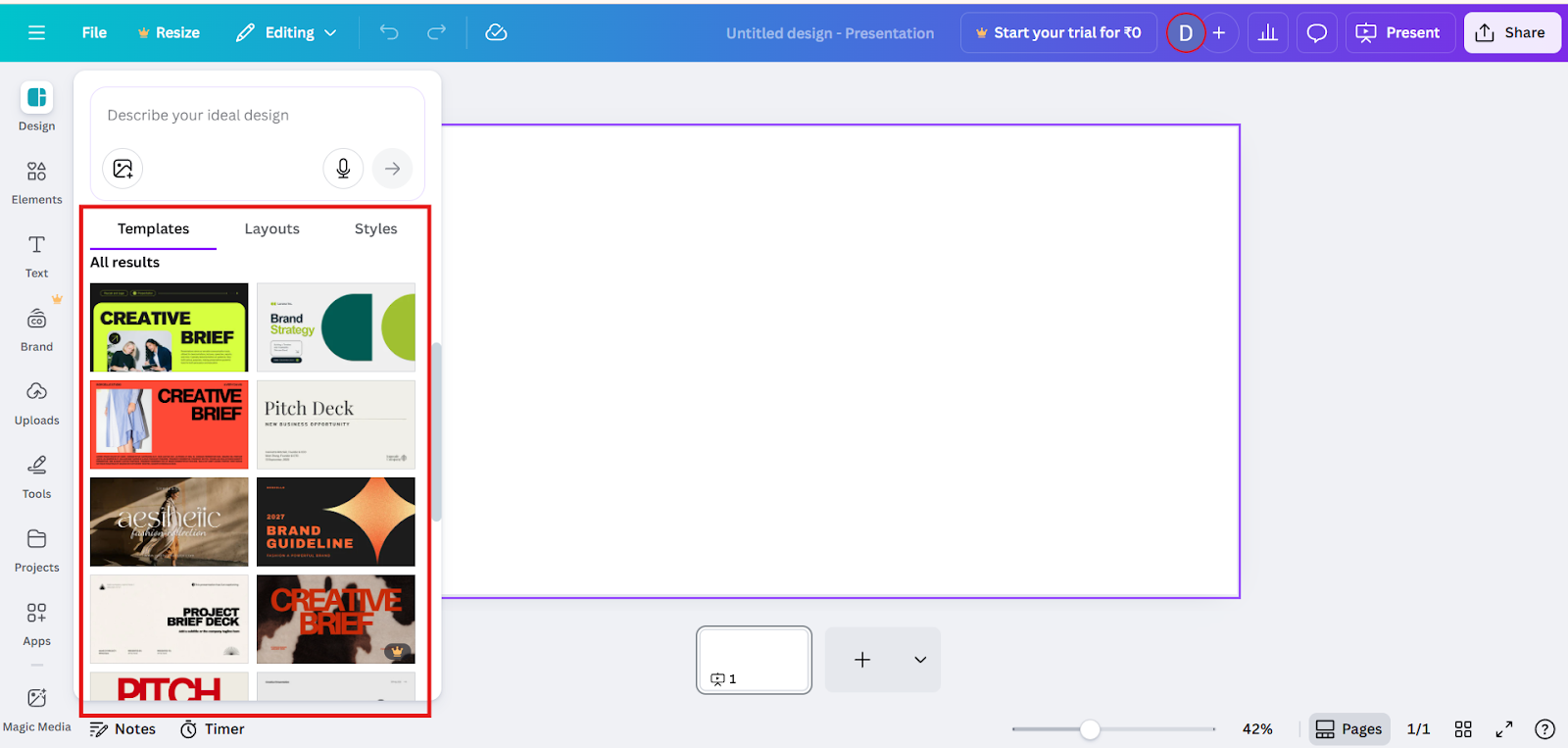
Step 3: Customize slides by adding text, images, charts, icons, and animations.
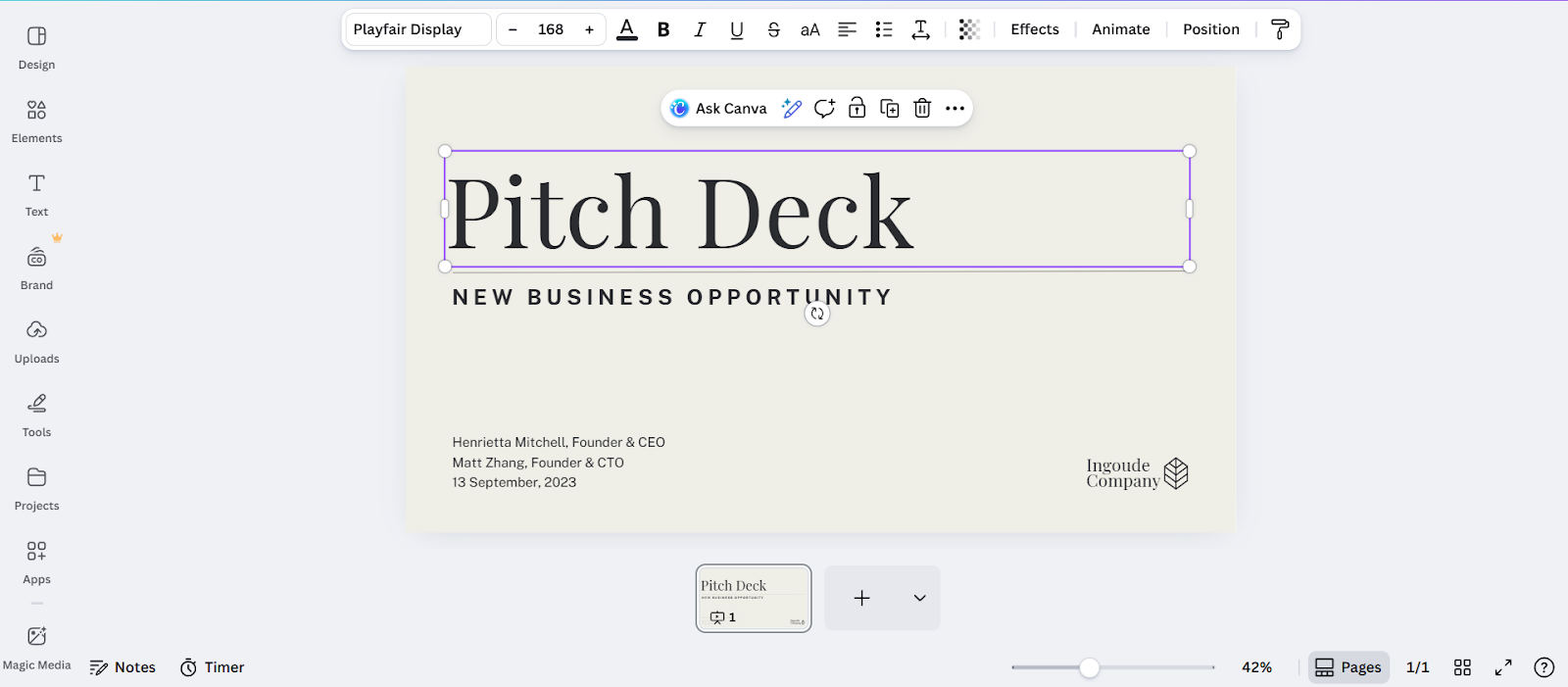
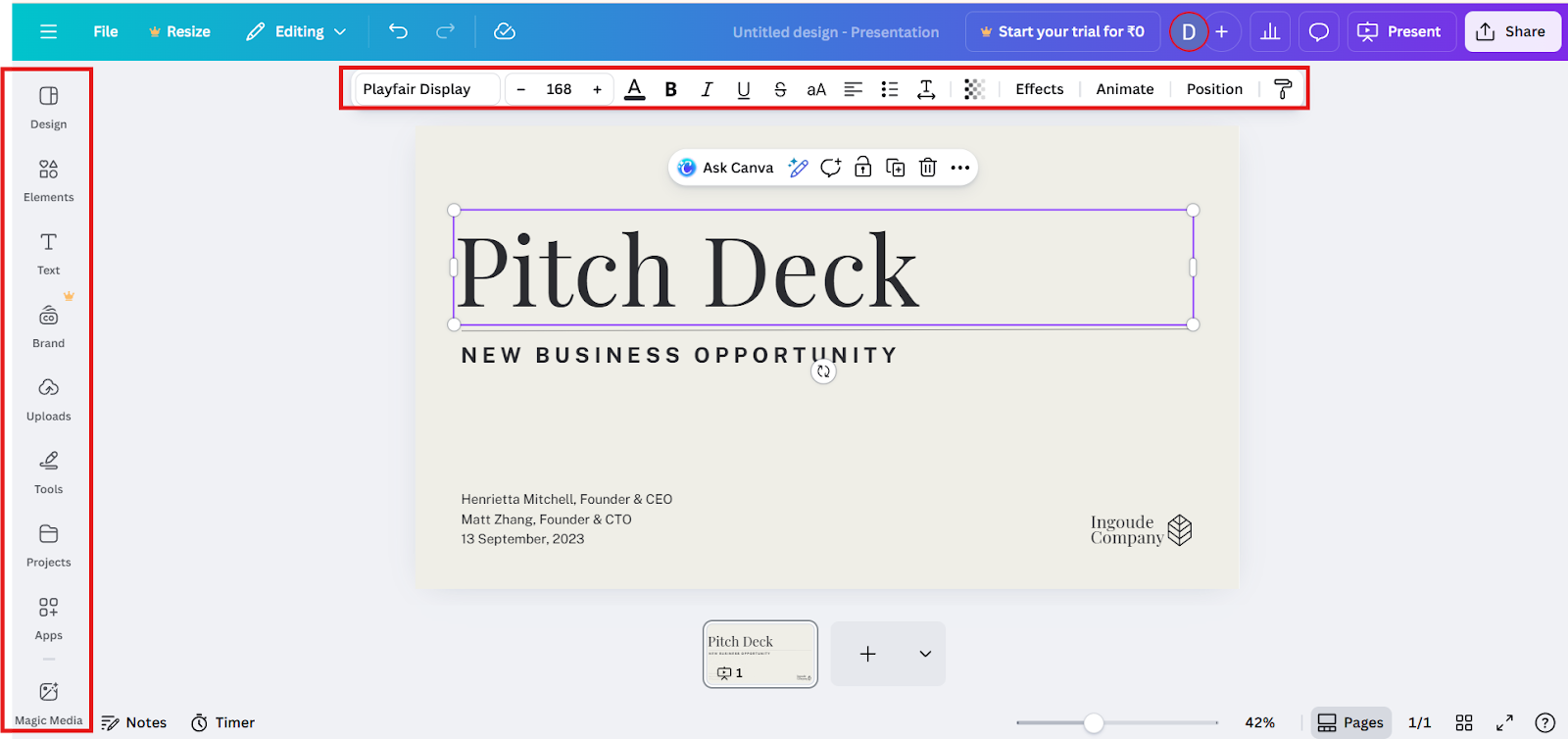
Step 4: Use Canva’s design tools to adjust fonts, colors, layouts, and transitions.
Step 5: Download the presentation or present it directly using Canva Present mode.
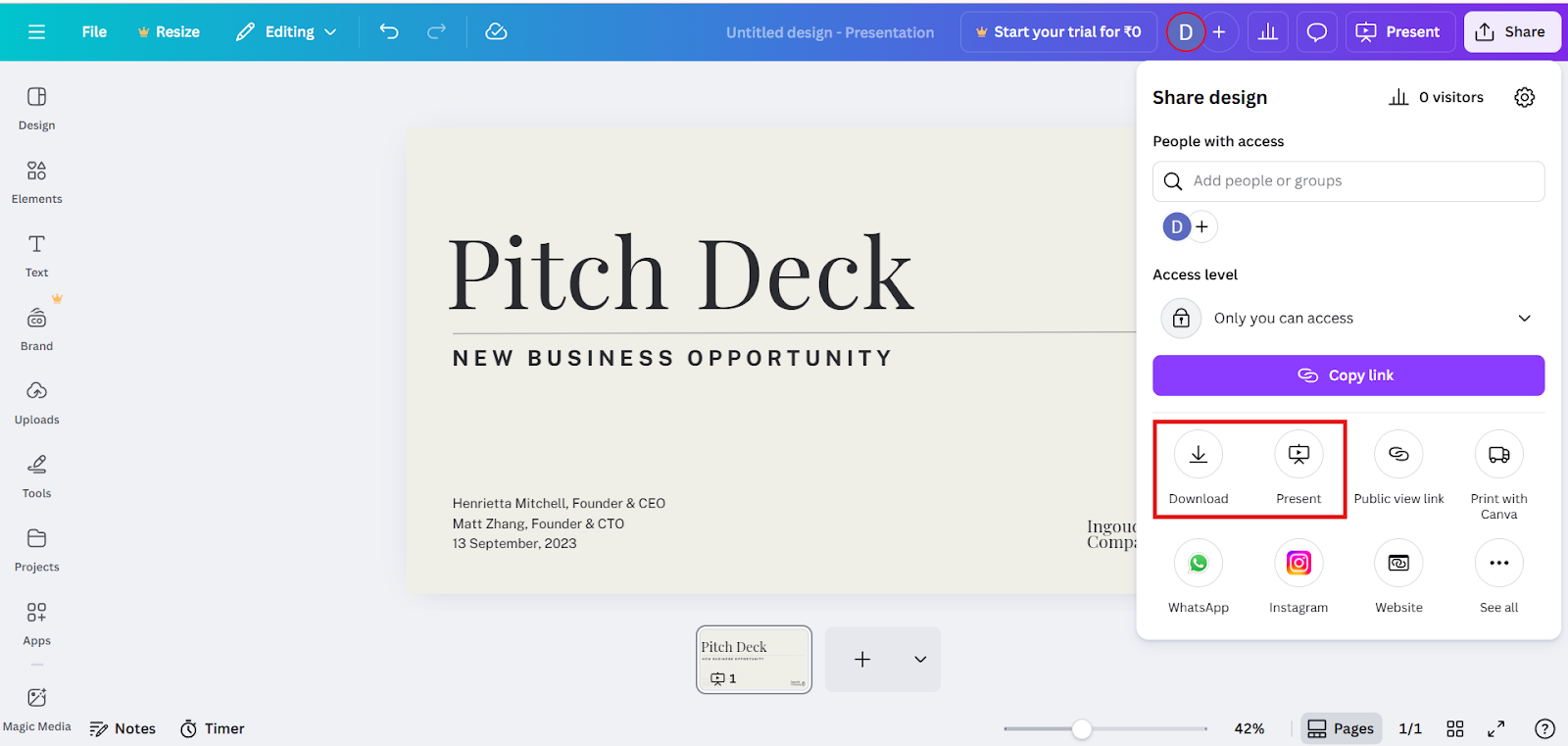
Canva is particularly effective for users who enjoy hands-on design control and want visually polished slides with branding consistency.
How to Use MagicSlides for a Presentation?
MagicSlides simplifies presentation creation by using an AI-powered slide generator with minimal input.
Steps involved in creating a presentation using MagicSlides:
Step 1: Enter a topic, prompt, or upload content (text, URL, video, or document). Here, I have used a detailed text to convert it as PPT.
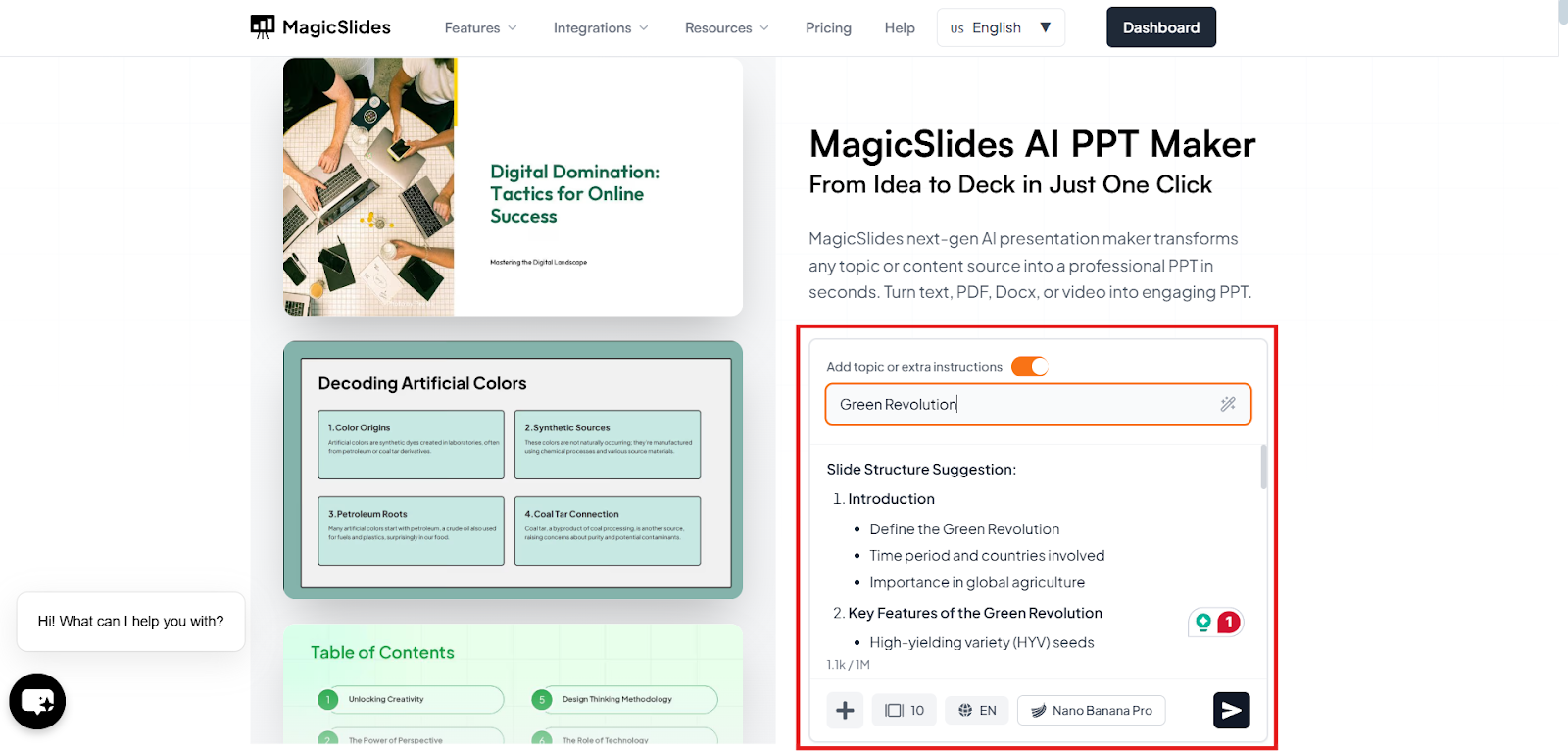
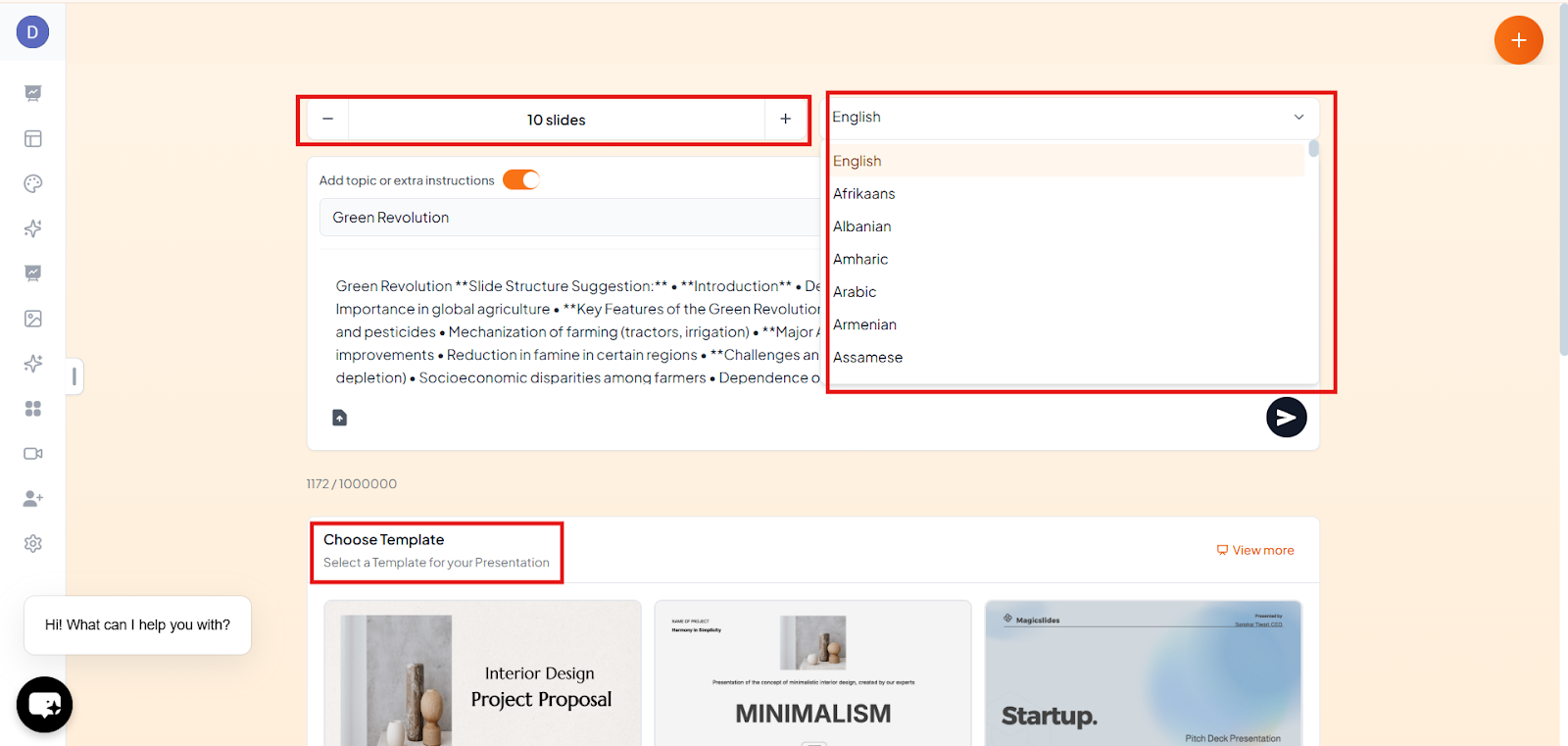
Step 2: Choose the presentation template, slide number, and language.
Step 3: Let MagicSlide’s AI generate structured slides with titles, bullet points, and visuals. Check it once, refine the content if needed, and click generate.
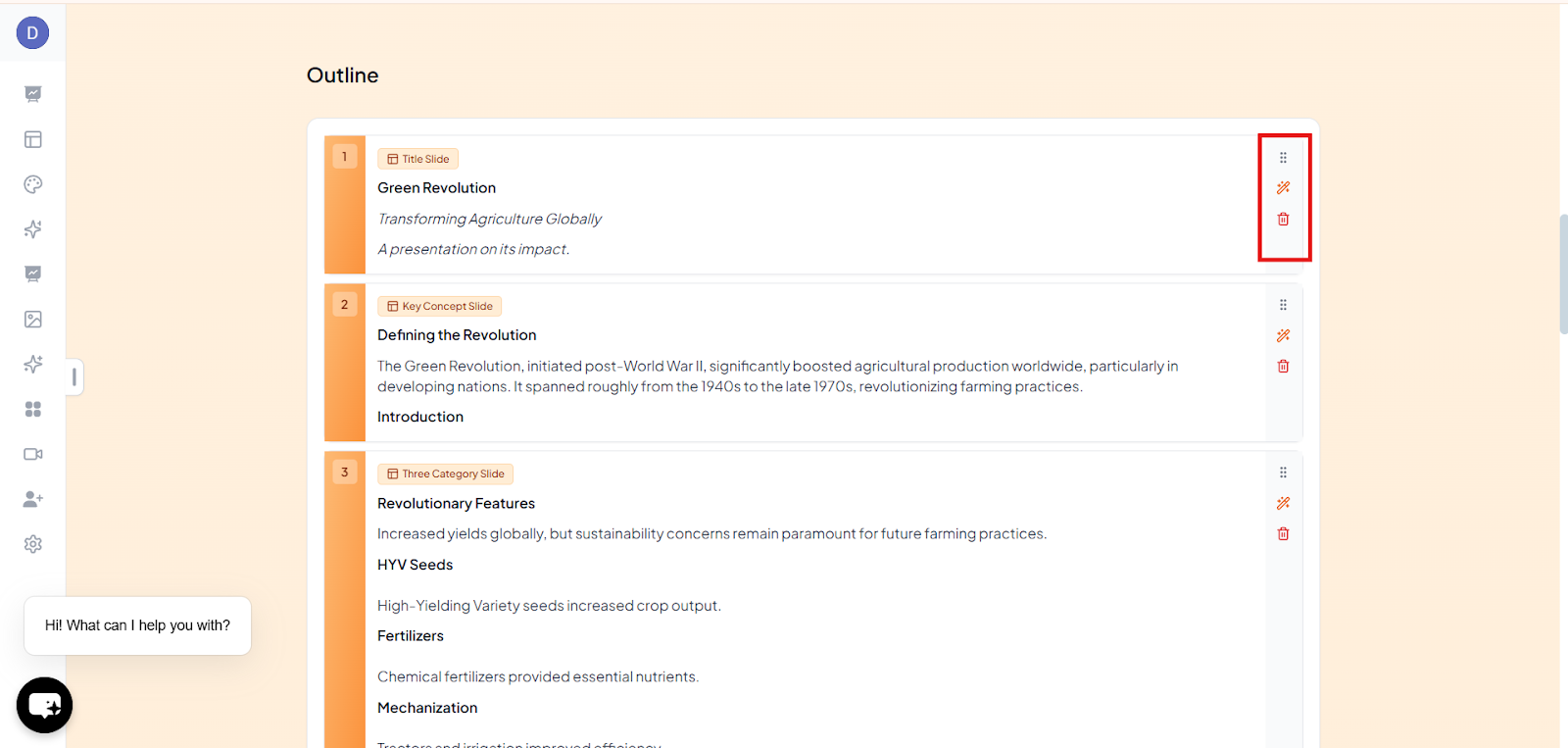
Step 4: Edit or refine slide designs as needed.
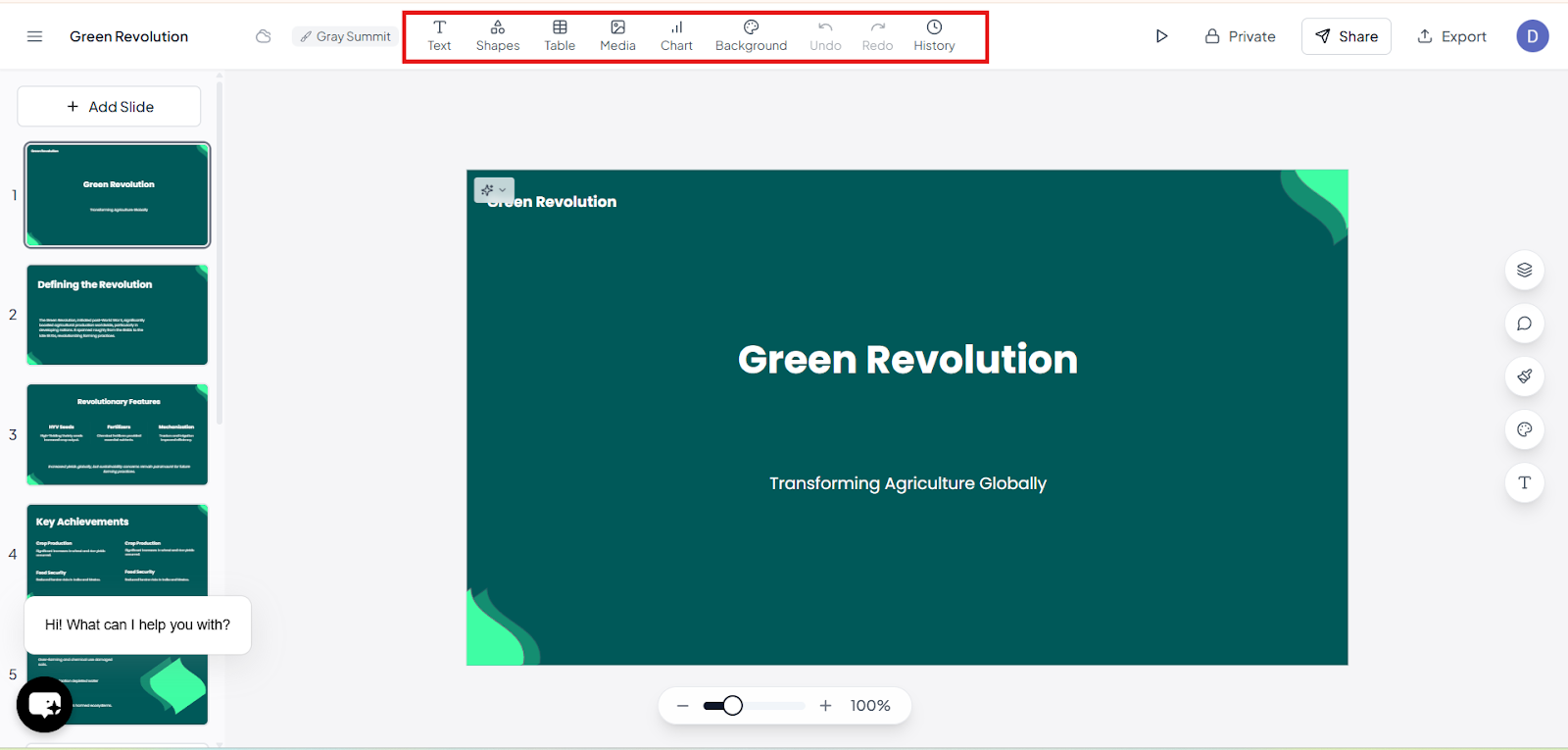
Step 5: Export or download the presentation.
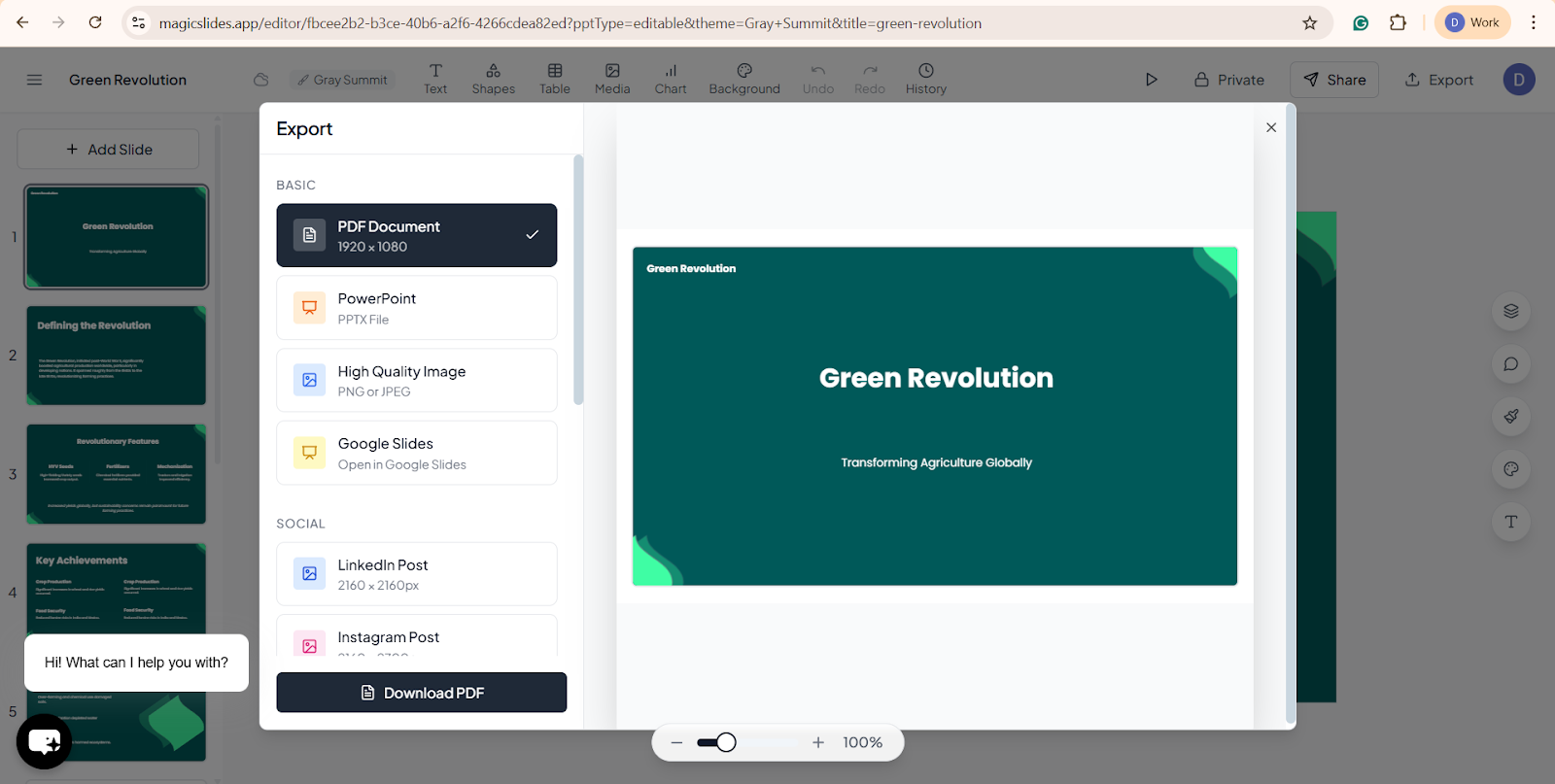
MagicSlides is designed for users who want fast, content-ready presentations without starting from a blank slide.
Canva Vs MagicSlides: Key Differences:
1. Ease of use:
MagicSlides: MagicSlides focuses on automation and simplicity. Users can generate a full presentation in minutes, making it especially useful for time-sensitive tasks.
Canva: Canva offers a user-friendly interface with drag-and-drop controls, making it accessible for beginners. However, creating a presentation still involves manual design decisions slide by slide.
2. Templates:
MagicSlides: MagicSlides automatically creates presentation-ready slides using AI, ensuring each slide is clear, well-structured, and easy to follow. The templates are generated based on the topic and content, so users don’t need to manually choose or adjust slide designs.
Canva: Canva provides thousands of professionally designed templates across industries, styles, and formats. Templates are customizable and visually rich.
3. Speed:
MagicSlides: Speed is the core strength of MagicSlides. Entire presentations can be generated in seconds, making it ideal for last-minute presentations or quick idea generation.
Canva: Canva is fast for designing individual slides, but requires manual effort for content creation and structuring.
4. AI Capabilities:
MagicSlides: MagicSlides uses AI as its foundation by automatically generating:
This makes MagicSlides more content-centric and productivity-focused.
Canva: Canva includes AI features such as text suggestions, image generation, and design assistance, primarily focused on visual creativity.
5. Best for
MagicSlides is best for:
Canva is best for:
6. Output Formats
MagicSlides
MagicSlides ensures compatibility with common presentation platforms, especially for collaboration and live presenting.
Canva:
Why Choose MagicSlides Over Canva?
The purpose of MagicSlides is to create presentations and offers several advantages:
1. AI-generated presentations:
MagicSlides uses AI to instantly create complete presentations from simple prompts, uploaded documents, or web links, eliminating the need to start from scratch.
2. Time-saving automation with minimal manual effort:
The platform automates slide creation and content structuring, helping users build presentations faster with very little manual input.
3. Structured, topic-relevant slide flow:
Each presentation follows a clear, logical structure generated by AI, ensuring slides stay aligned with the topic and message.
4. Ideal for professionals, educators, and students:
MagicSlides is well-suited for business professionals, educators, and students who need clear, presentation-ready slides in less time.
5. Seamless export to Google Slides and PowerPoint:
Presentations can be easily exported to Google Slides and PowerPoint, enabling smooth collaboration and easy final edits.
6. Content-first approach that reduces cognitive load:
By focusing on content before design, MagicSlides simplifies the presentation process and helps users concentrate on key ideas.
7. Scales easily for recurring presentations and teams
MagicSlides supports repeat use and team workflows, making it suitable for individuals, educators, and growing teams.
8. Budget-friendly and multilingual support:
MagicSlides offers a cost-effective solution for AI-powered presentations and supports 135+ languages, making it accessible for users worldwide.
MagicSlides doesn’t take away creativity. It simply makes presentation creation easier, so users can focus on their ideas, how they present them, and the message they want to deliver.
Discover the Best AI Tools for Your Presentations:
If you’re comparing MagicSlides vs Canva, you might also be curious about what other AI tools can do for your presentations. There are dozens of AI presentation makers out there, each designed for different needs and styles. We’ve broken down the top 10 best AI presentation makers to help you see what’s possible beyond the usual choices. From speed and design to customization and ease of use, each tool shines in its own way. Read our detailed blog to discover which AI presentation maker fits you best.
Conclusion:
Both Canva and MagicSlides are powerful tools, each serving different presentation needs. Canva excels as a design-driven platform with creative flexibility, while MagicSlides leads in AI- powered presentation automation.
For users who want faster workflows, smart content generation, and presentation-ready slides, magicSlides offers a forward-thinking solution that aligns with modern productivity demands.
Also Read: How to Create a GIF in Canva Quickly and Easily: Step-by-Step Guide
Quick FAQ’s:
Q 1: Can MagicSlides be used for business presentations?
Yes, MagicSlides is ideal for business pitches, reports, and professional presentations.
Q 2: Can Canva support presentations in multiple languages?
Yes, Canva allows text input in most languages, but does not auto-translate content.
Q 3: Can MagicSlides help organize content automatically?
Yes, it structures slides logically to make presentations easy to follow.
Q 4: Is Canva free to use?
Yes, Canva offers a free plan with limited features and paid plans with advanced features.
Q 5: Which tool is better for fast presentation creation?
MagicSlides is better for speed because it automatically generates complete slide decks using AI.
Q 6: Is Canva suitable for non-designers?
Yes, Canva is beginner-friendly with ready-made templates and simple editing tools
Q 7: Which tool focuses more on content creation?
MagicSlides focuses more on AI-driven content generation rather than manual design.
Q 8: Can Canva generate content automatically?
Canva offers limited AI features, but it relies mainly on user-created content.
Q 9: Which is better for students and educators?
MagicSlides is ideal for students and educators who need quick, content-rich presentations.
Q 10: Which is more affordable for individuals?
MagicSlides is often more affordable for users focused primarily on presentation creation.