
A Simple Step-by-Step Guide to Creating an Agenda Using AI for Impactful Results.
In today’s work environment, planning effective meetings, events, or daily tasks can be time-consuming. An agenda plays a critical role in keeping discussions focused and goals aligned. With the rise of artificial intelligence, creating a clear and structured agenda has become faster, smarter, and more efficient.
This blog explains everything about the agenda. Whether you are a professional, student, or entrepreneur, AI can simplify your agenda-creation process.
What Is an Agenda?
An agenda is a structured outline of topics, tasks, or activities that need to be discussed or completed within a specific time frame. It serves as a roadmap that helps participants understand the purpose, flow, and expected outcomes of a meeting or event.
A well-designed agenda typically includes:
Using AI to create an agenda ensures better organization, clarity, and time management.
Types of Agendas You Can Create
AI tools can help generate different types of agendas based on your needs. Some common ones include:
1. Meeting Agendas
Ideal for team meetings, client calls, board meetings, and reviews. AI can organize discussion points, assign time slots, and prioritize topics.
2. Daily or Weekly Work Agendas
These agendas help individuals plan tasks, set priorities, and manage workloads effectively.
3. Project Planning Agendas
Used for project kick-offs, sprint planning, and milestone reviews. AI can structure agendas based on project goals and timelines.
4. Event or Workshop Agendas
Perfect for conferences, webinars, training sessions, and workshops, ensuring smooth flow and proper time distribution.
5. Personal Productivity Agendas
AI can create personalized agendas for study plans, fitness routines, or daily schedules based on individual preferences.
How to Create an Agenda Using AI?
Step 1: Define the Purpose
Clearly state the goals of your agenda. For example, is it for a team meeting, project discussion, or event planning? AI works best when the objective is clear.
Step 2: Identify Key Details
Provide essential inputs such as:
Step 3: Make a Clear Prompt
A strong prompt improves results. For Example:
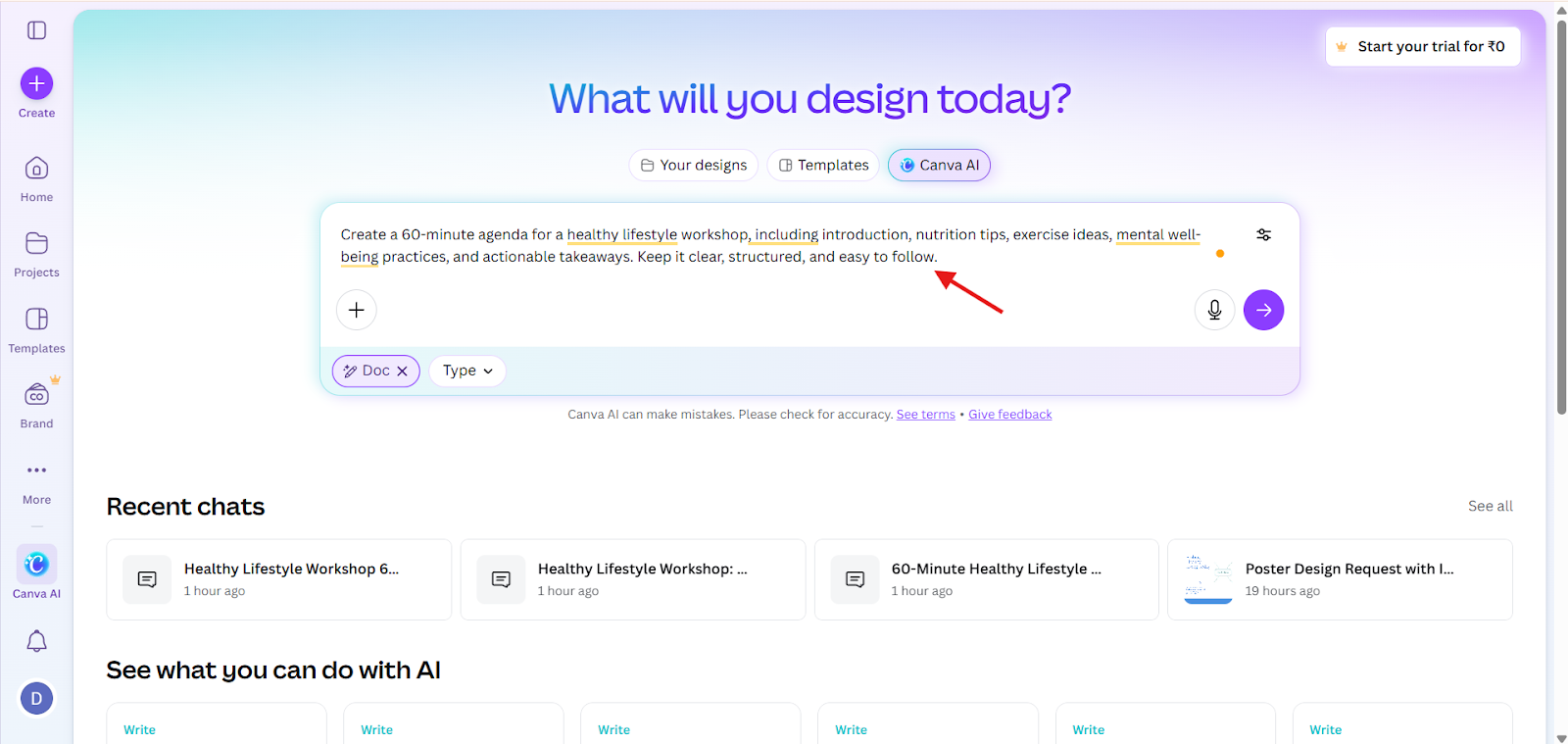
Create a 60-minute agenda for a healthy lifestyle workshop, including introduction, nutrition tips, exercise ideas, mental well-being practices, and actionable takeaways. Keep it clear, structured, and easy to follow.
Step 4: Choose the Right AI Tool
You can use AI writing tools, productivity assistants, or presentation tools that support prompt-based content creation.
Here, I have used Canva AI
1. Log in or Sign up to Canva
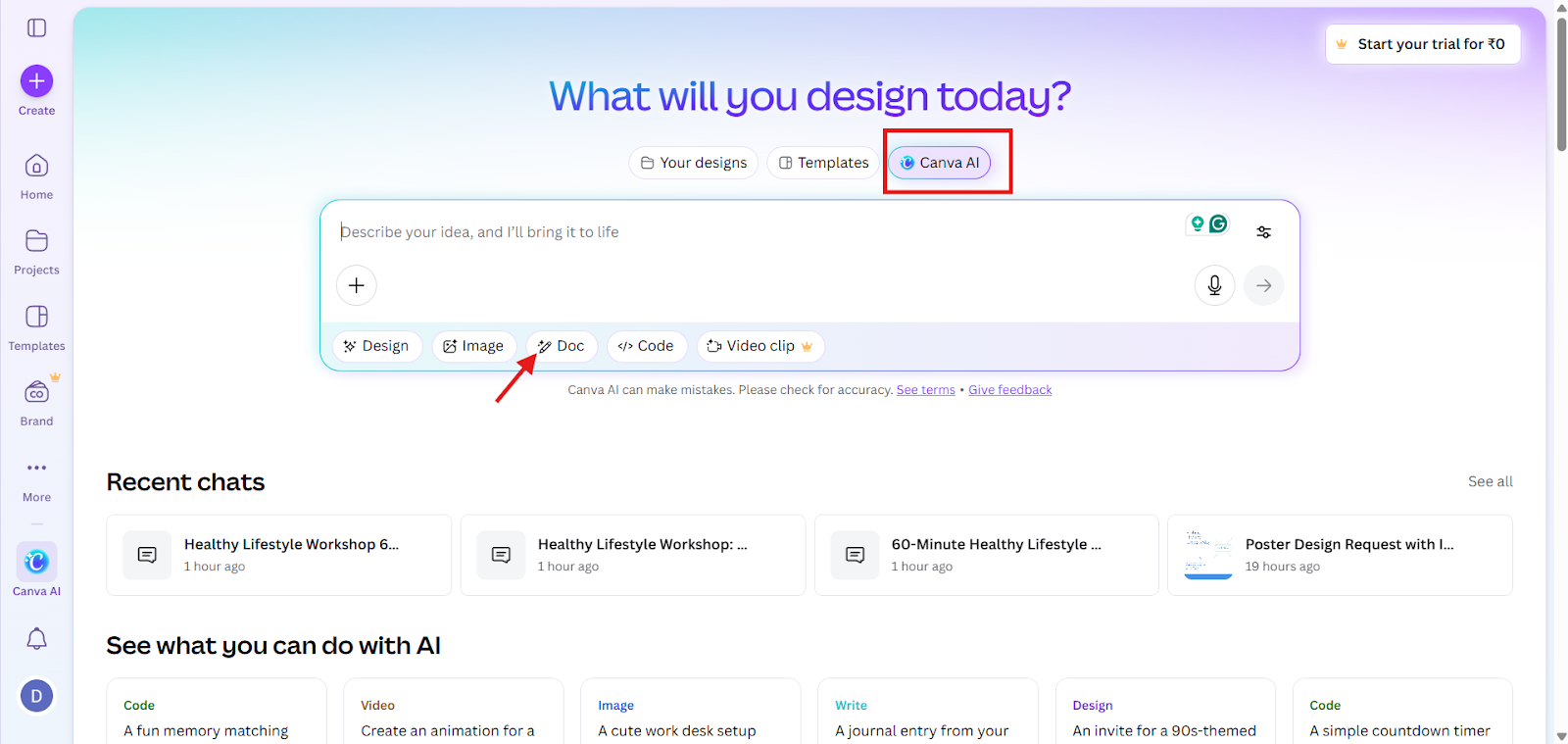
2. Choose “Canva AI” and select “Doc.”
3. Paste your content or prompt.
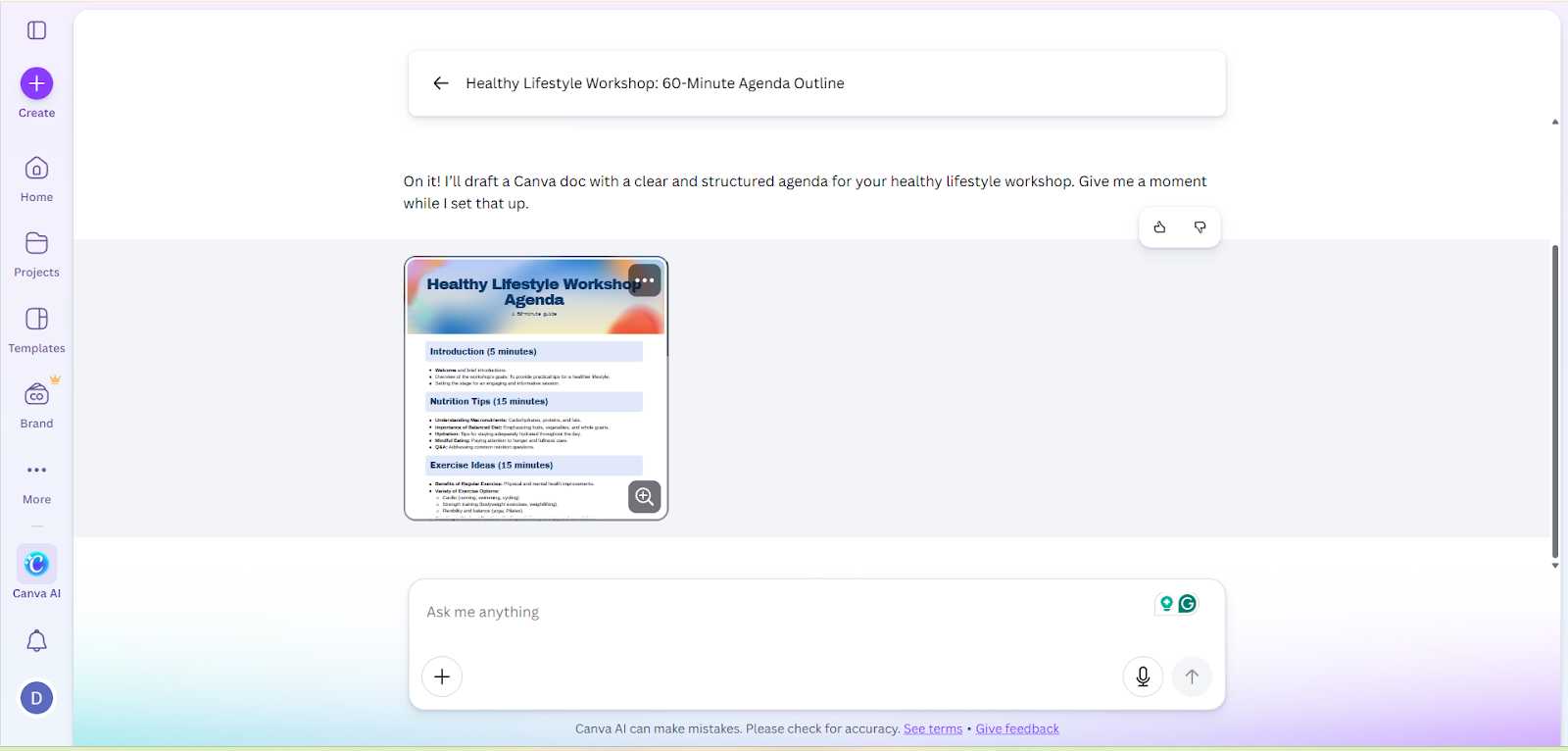
4. Canva AI generates an agenda based on your prompt
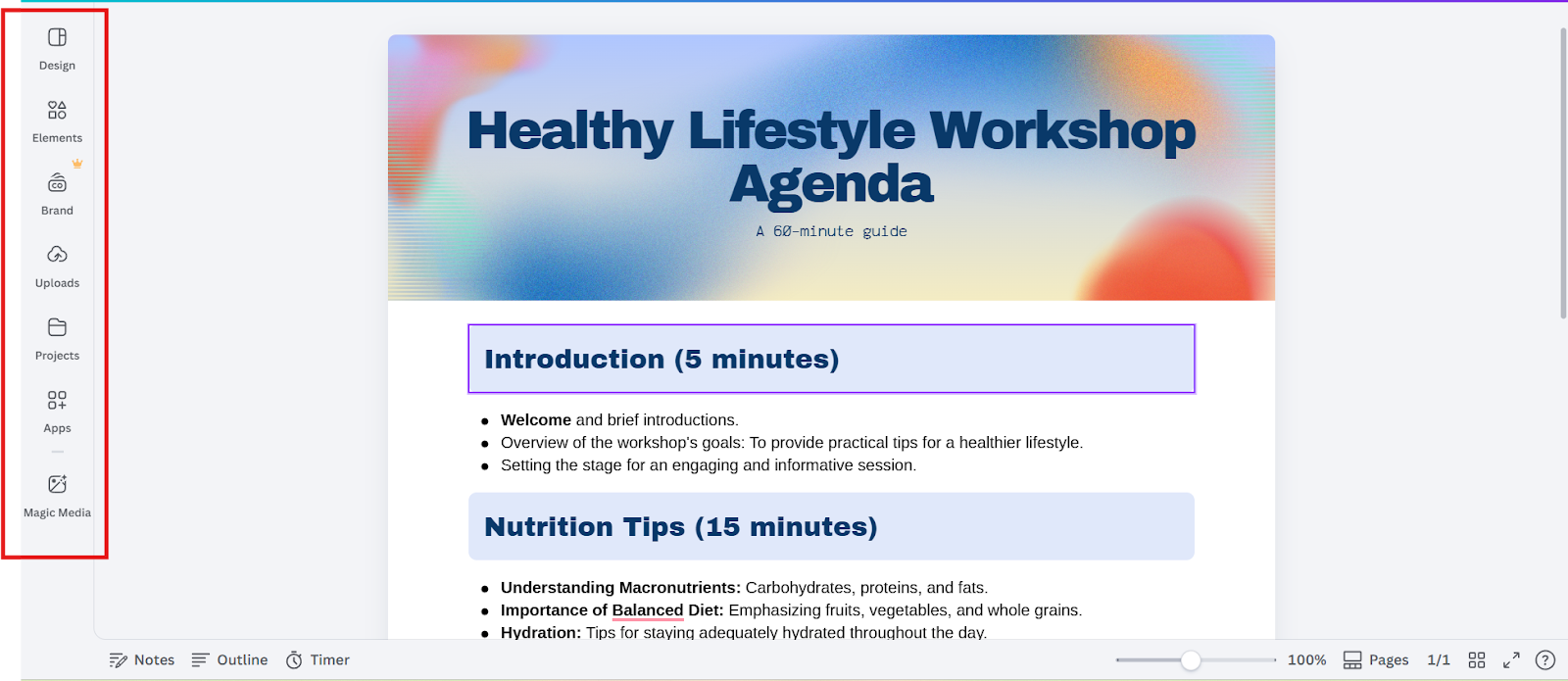
5. Use Canva editor to refine or make changes (if needed)
6. Download and use it
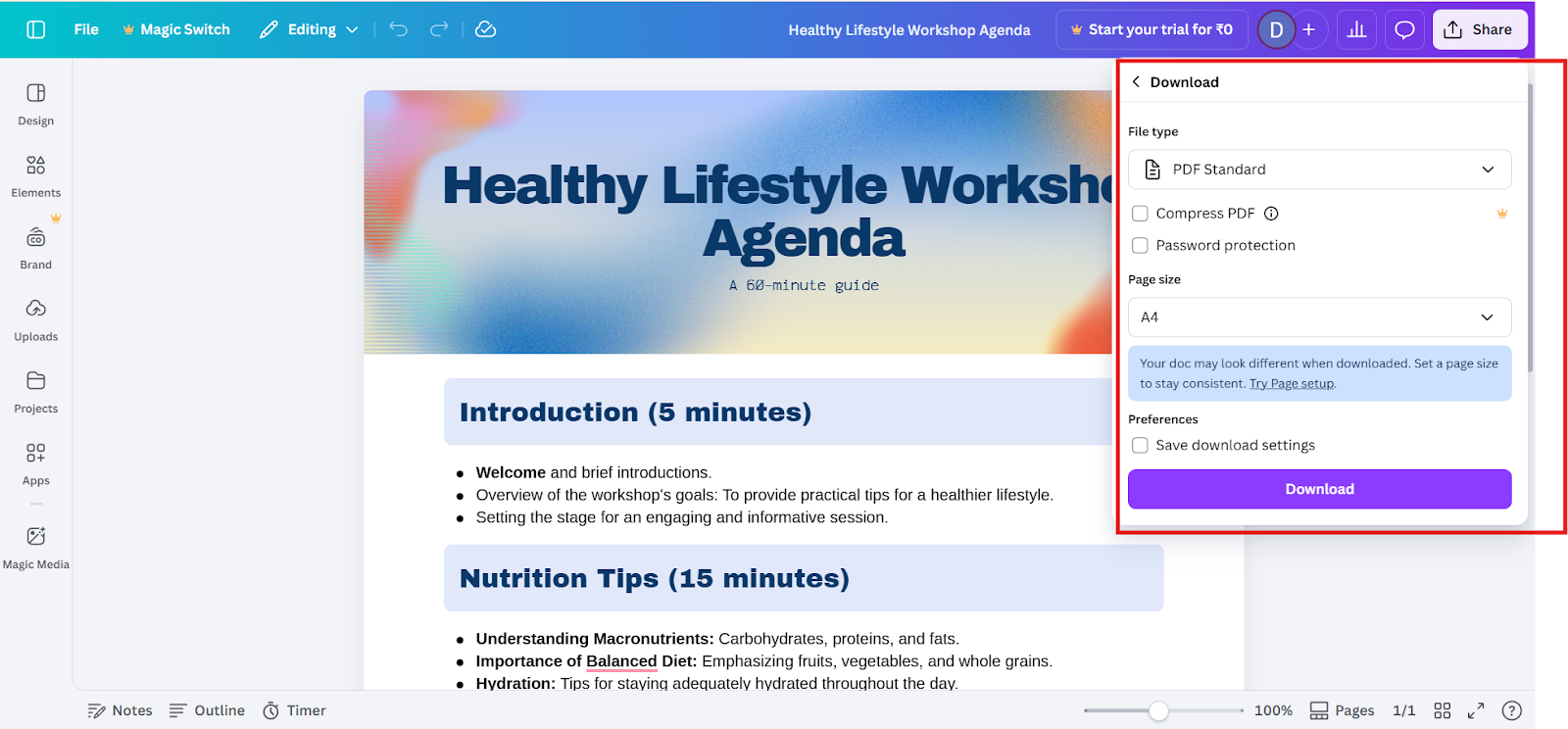
Step 5: Practice or Rehearse the Agenda
Before sharing or implementing the agenda:
This step helps you catch issues early and ensures the agenda works in a real scenario.
Step 6: Share and Implement
Once finalized, share the agenda with participants in advance. This allows everyone to prepare and contribute to a more productive session.
Why Use AI to Create an Agenda?
Using AI for agenda creation offers multiple advantages:
AI-powered agendas help teams stay focused and make meetings more effective.
Common Mistakes to Avoid During Agenda Creation
Even with AI, some mistakes can reduce agenda effectiveness:
Avoiding these mistakes ensures your AI-generated agenda remains practical and actionable.
Turn Your Agenda into a Visual Presentation
Once you have drafted your agenda with AI, you might want to present it clearly and professionally, especially for team meetings, workshops, or client sessions. That’s where MagicSlides comes in.
With MagicSlides, an AI presentation maker, you can transform your agenda content into a polished presentation in just a few clicks. The tool lets you input almost anything, whether it is text you have written, a document you have uploaded, a link from the web, or even media like images; it instantly creates structured, visually appealing slides.
Here is how to create a presentation using your agenda with MagicSlides:
Step 1: Log in or Sign up to MagicSlides
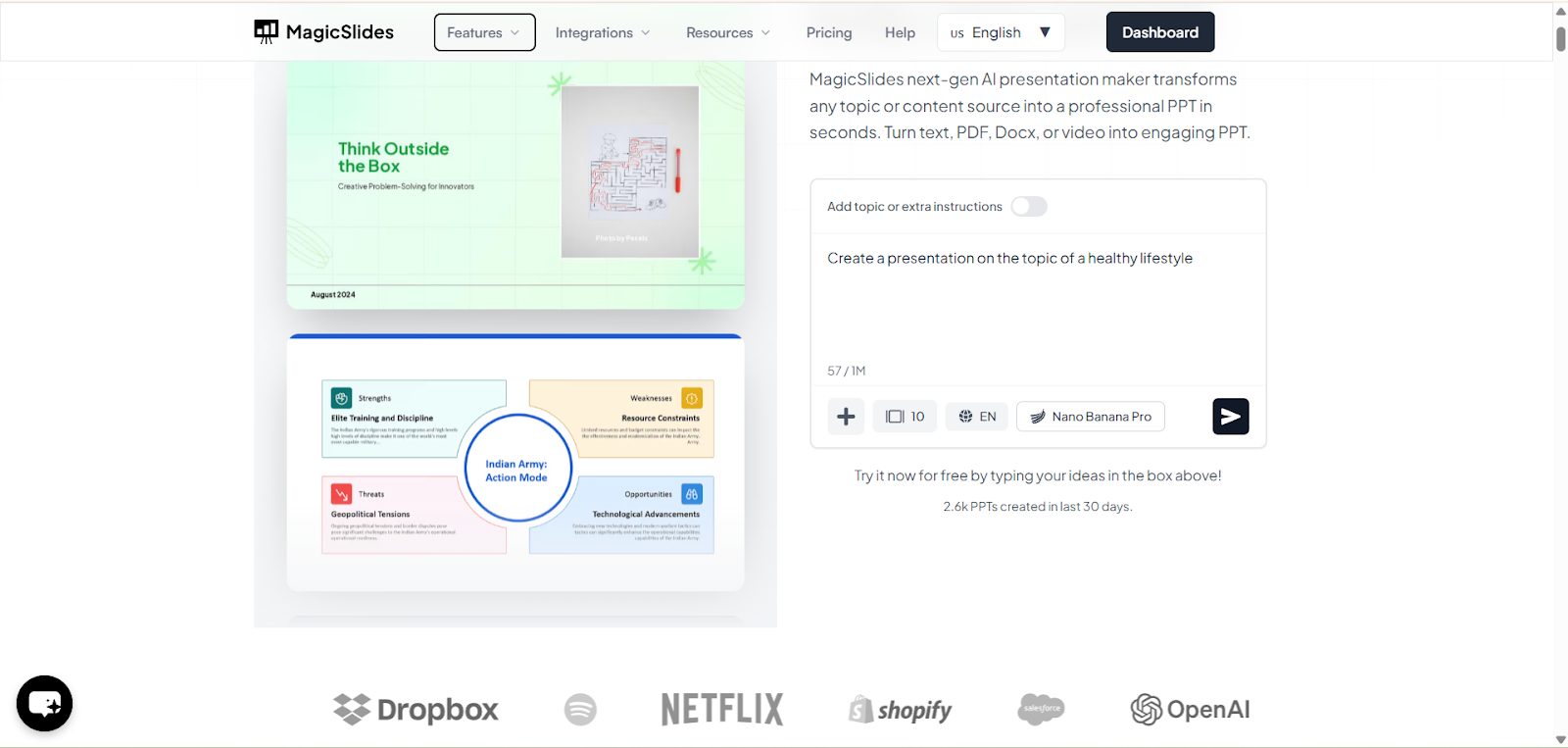
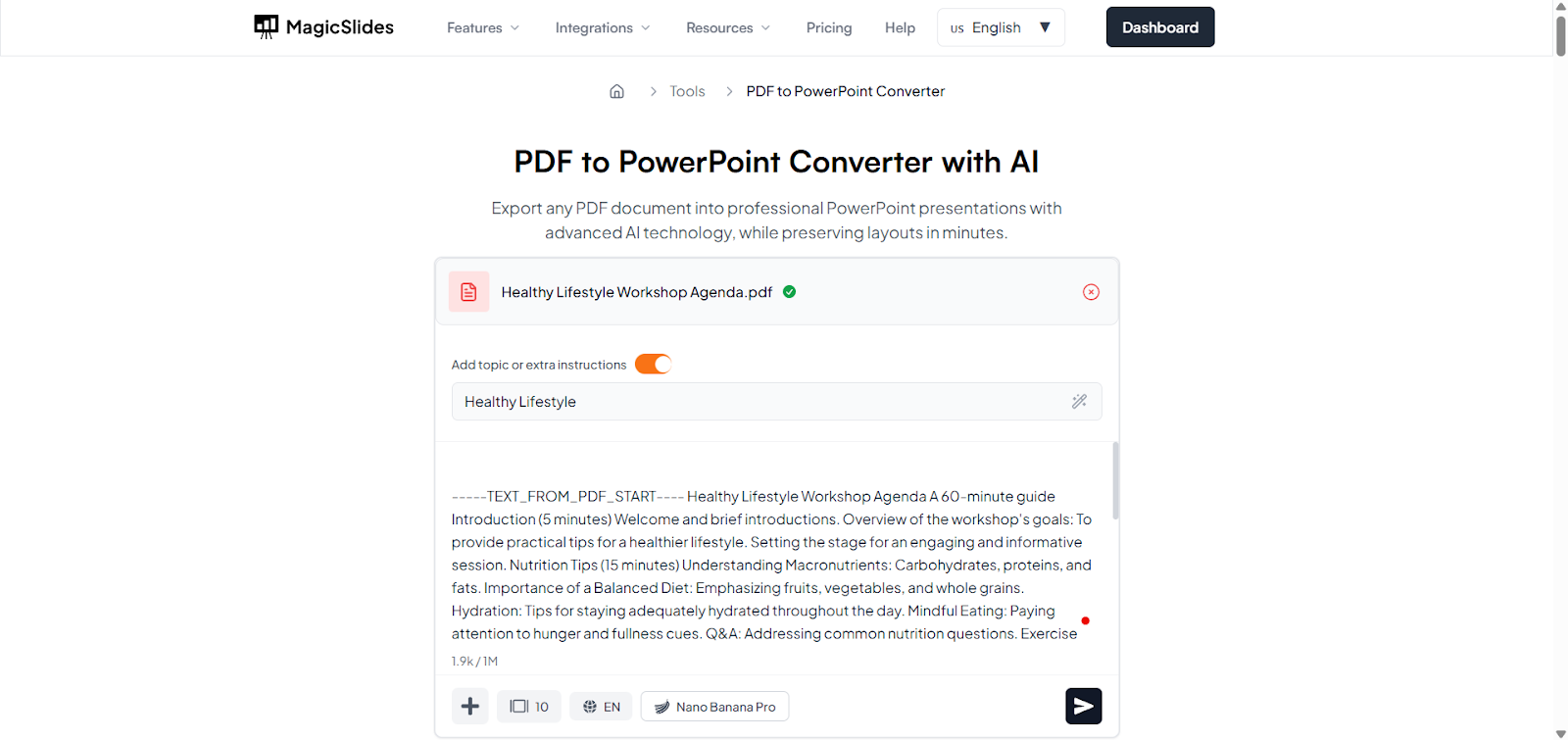
Step 2: Enter your content
If your agenda is in a text format, use the text to PPT converter
If your agenda is in a PDF format, use the PDF to PPT converter
If your agenda is in a Word format, use the Word to PPT converter
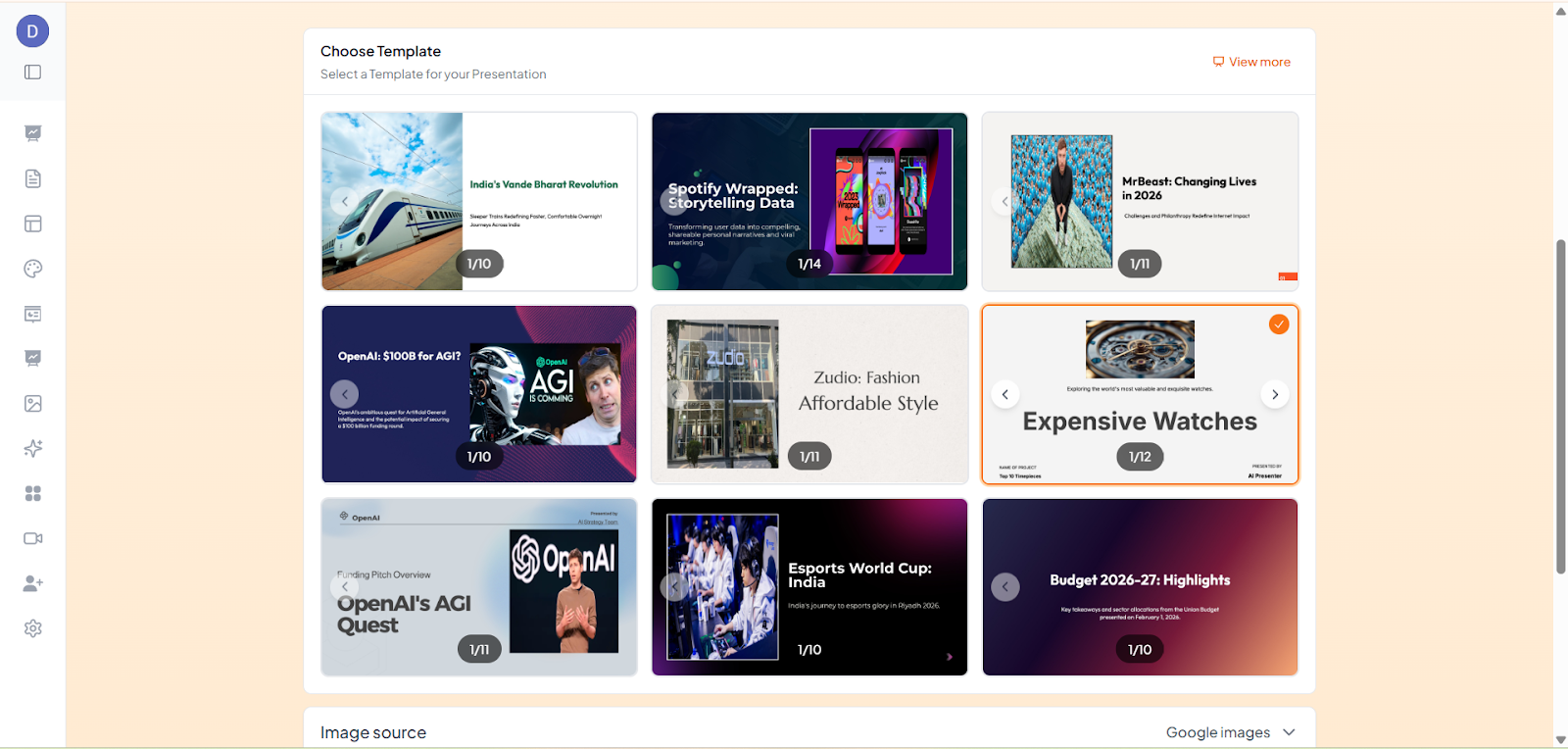
Step 3: Select the template that suits your topic
Step 4: Click “Generate.” MagicSlides AI will generate your content
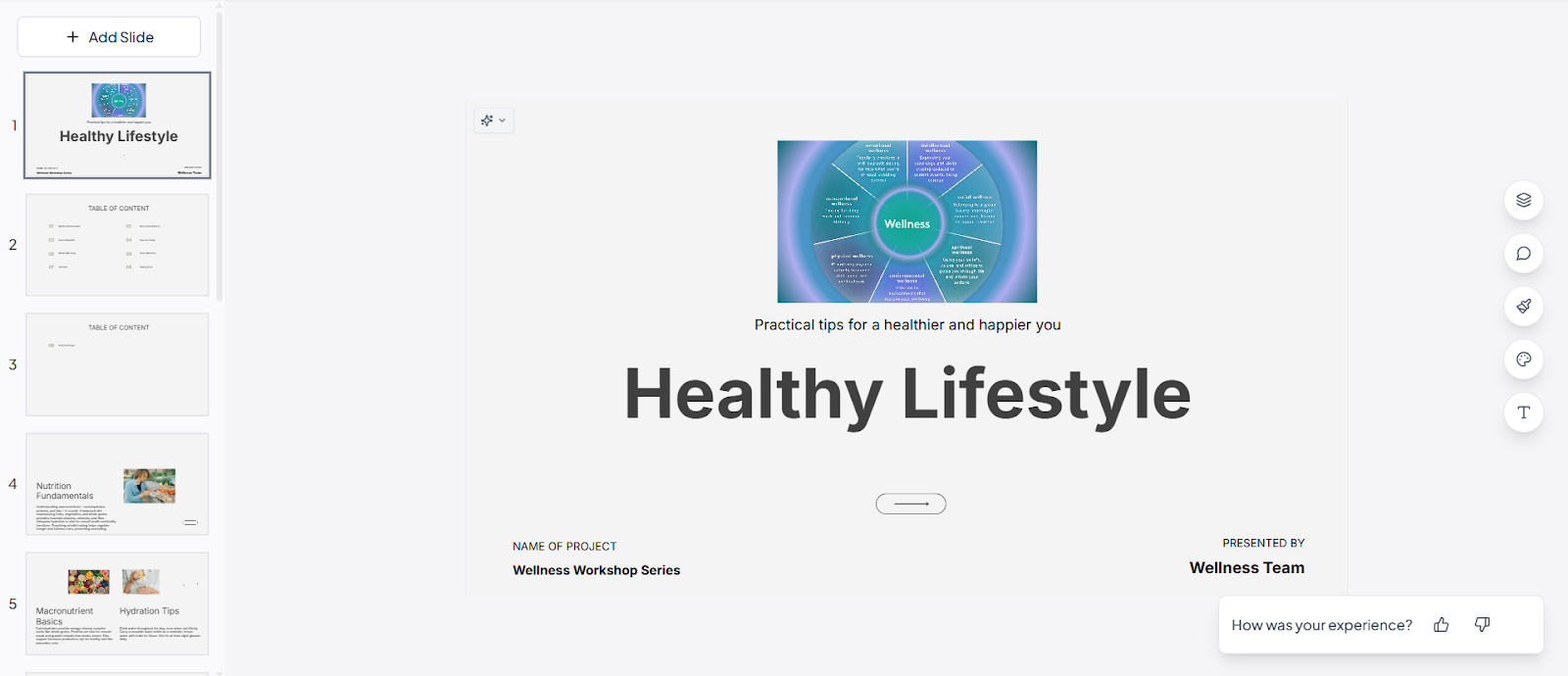
Step 5: Refine it (if needed)
Step 6: Download and use it.
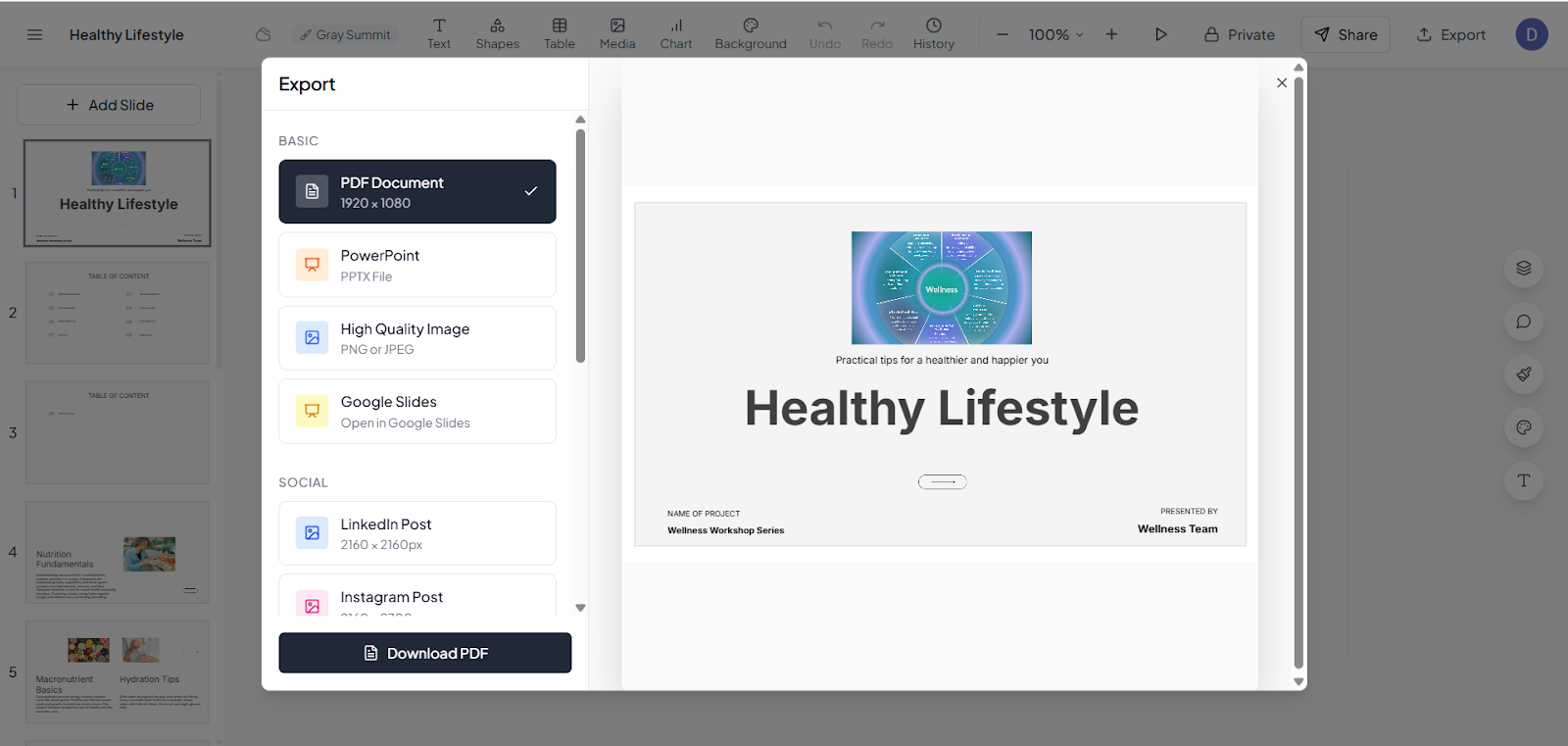
This helps your audience better understand the flow, priorities, and outcomes of your meetings or sessions.
Final Thoughts
Creating an agenda using AI is not just about saving time; it is about making your planning clearer, more structured, and more impactful. AI tools help you draft professional agendas in minutes and ensure you focus on what matters most.
Turning your agenda into slides elevates communication further, especially for team meetings, workshops, or client sessions. Tools like MagicSlides take your agenda content and transform it into a professional slide deck in seconds.
By combining AI-generated agendas with polished visual presentations, you can enhance productivity, improve clarity, and make a stronger impression, all while reducing time significantly. This approach is especially valuable for professionals, educators, students, and anyone who routinely plans and presents content.
Also Read: How to add music to a Canva slideshow: a complete guide.
Quick FAQ’s
Q 1: Can I customize the AI-generated agenda?
Yes, after AI creates the initial draft, you can edit or refine the agenda to better fit your goals, audience, or time constraints.
Q 2: What types of agendas can I create using AI tools?
AI can generate meeting agendas, event schedules, workshop plans, daily task lists, project agendas, and more, all with clear structure and time allocations.
Q 3: How do AI agenda generators improve productivity?
AI-generated agendas help ensure that meetings are focused, participants come prepared, and time is used efficiently. Clear agendas also encourage better decision-making and follow-up action items.
Q 4: What formats can I export AI-created agendas in?
Many AI tools allow you to download or share agendas in formats like PDF, DOCX, TXT, or copy text to your calendar or documentation platform.
Q 5: Can AI help with recurring agendas (like weekly meetings)?
Yes, many AI agenda tools allow you to reuse or adapt an agenda template for recurring meetings, saving time and keeping your sessions consistent.
Q 6: Can AI tools help with improving agendas over time?
Some AI tools allow you to refine agendas using previous meeting data, feedback, or outcomes, helping you create better agendas for recurring meetings.