
Hello everyone I am Sanskar, In last 5 years i have bought more than 60 domains and launched more than 25 products.
Over this time i was able to learn what matters and cut the not required part (how else i could have launched 15+ plans alone)
So, this is a no fluf blog no chatgpt promise.
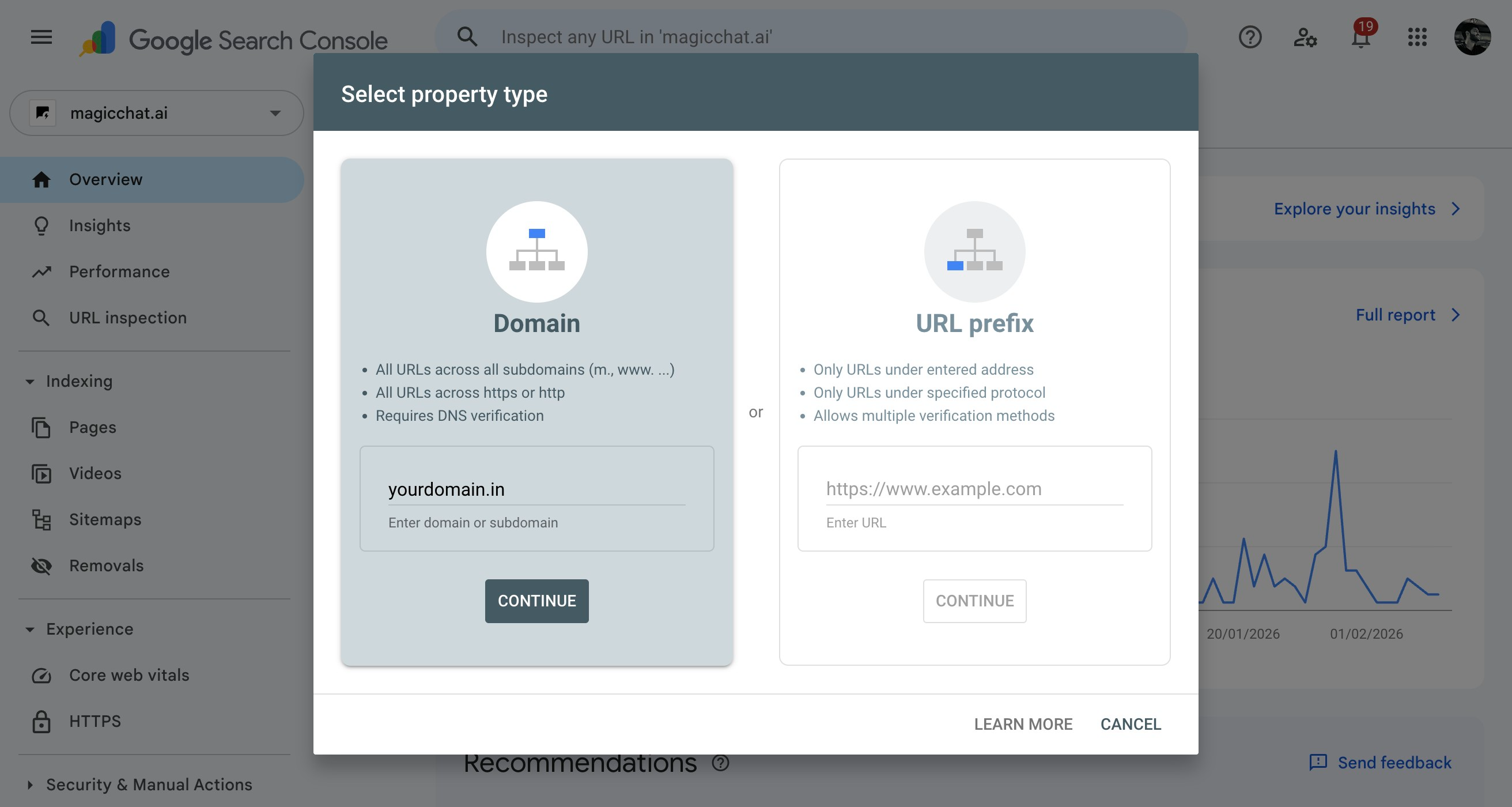
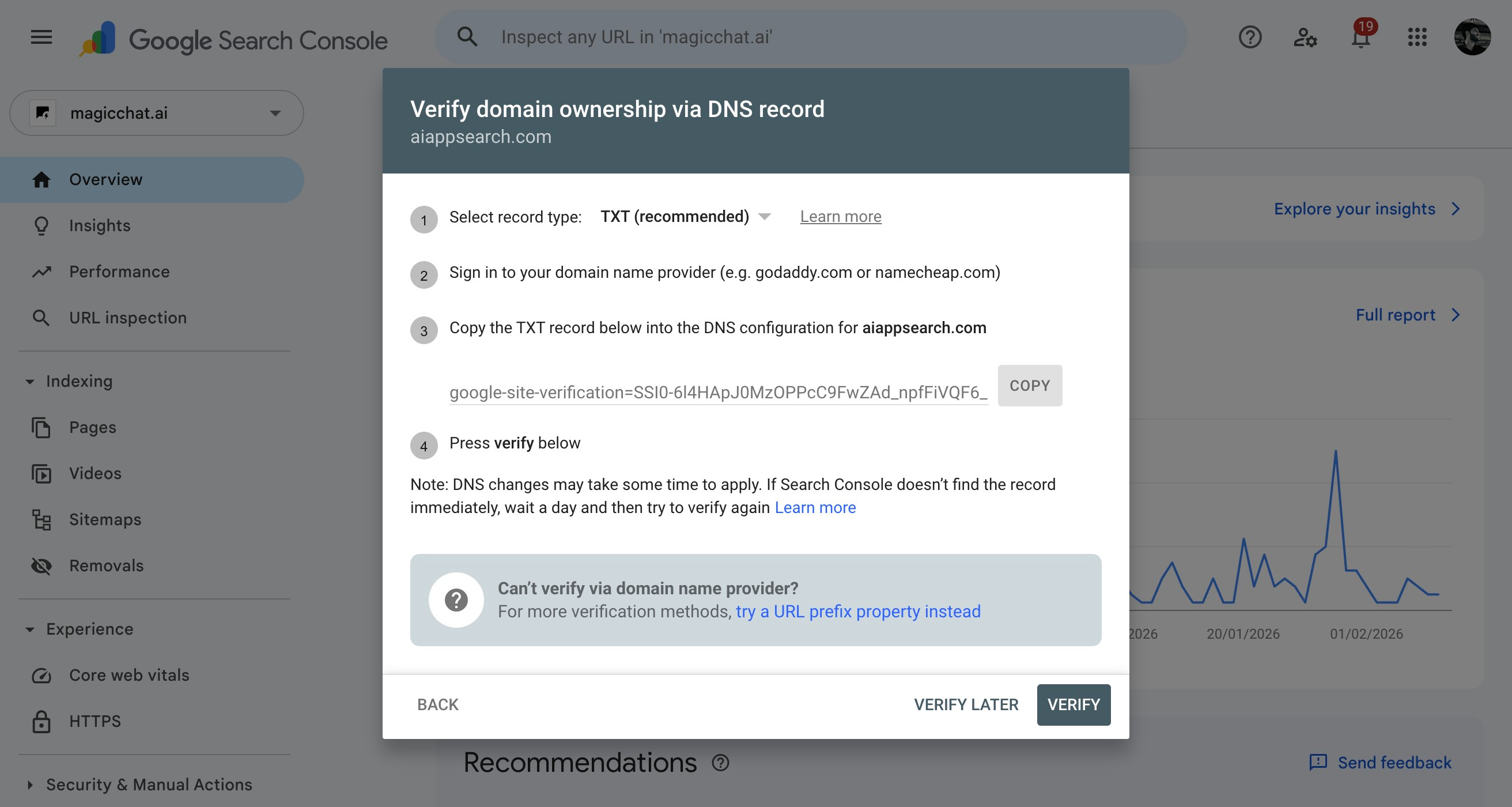
it’s quite simple trust me, you just need to sign up here https://search.google.com/search-console/about and then you will click on add property (it will be where magicchat.ai is written) once you click on it the popup will come
now what? well depending on where you bought the domain now you need to add DNS settings sounds worrysome right it’s simple. i will show how to do it in namecheap as that is what i use
simply open the domain in namecheap
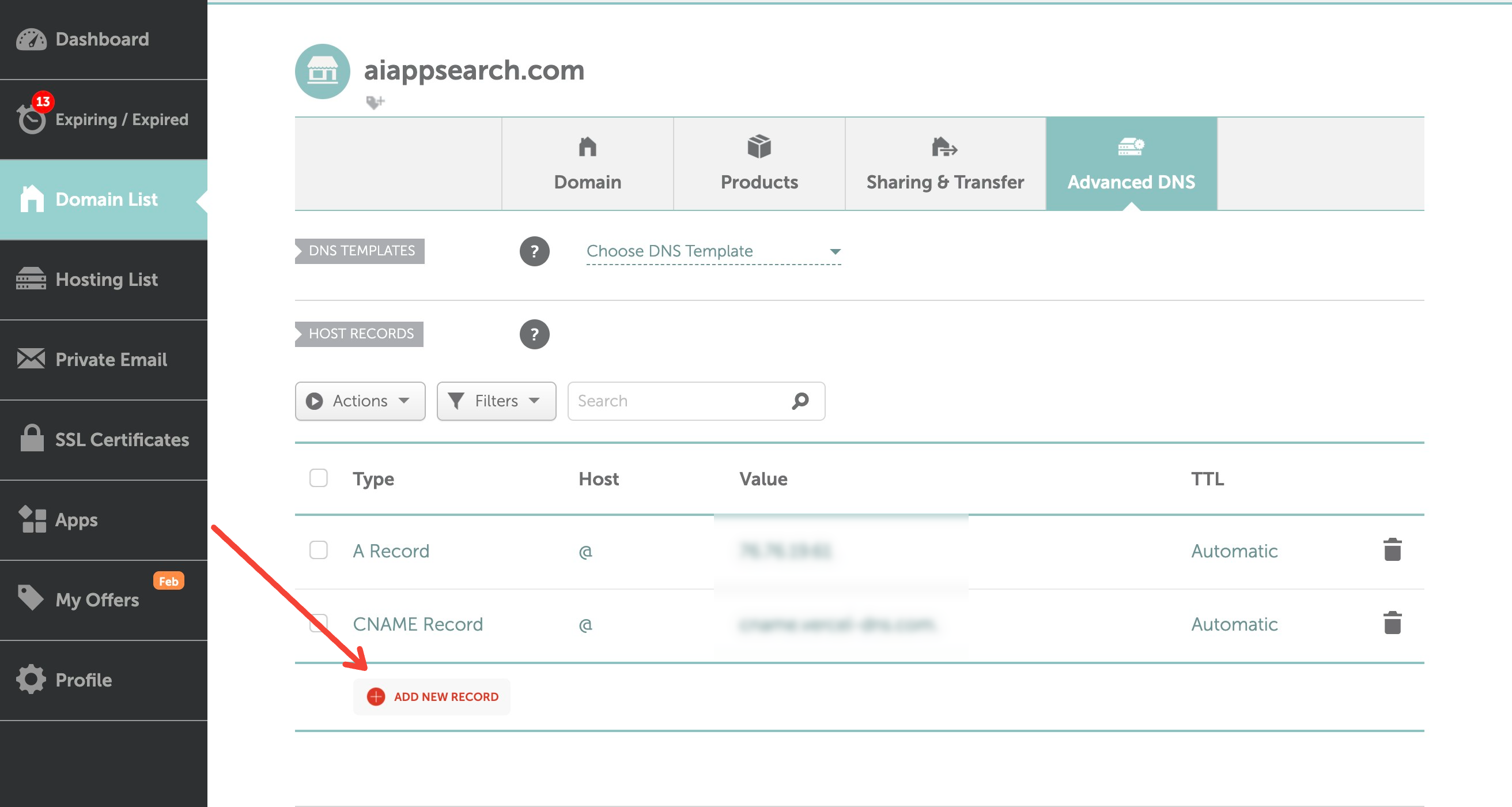
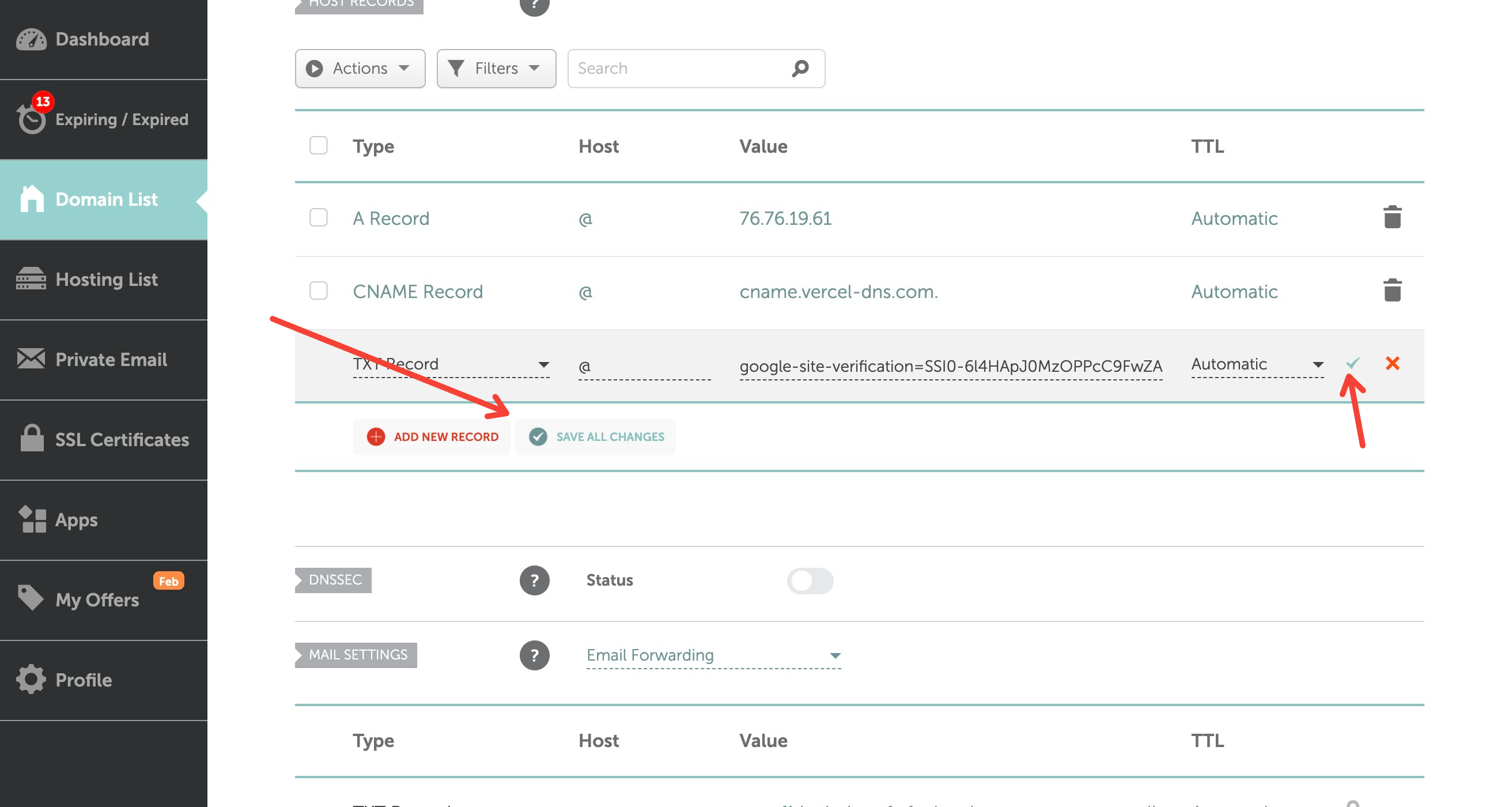
Done, now if you click on very enough time (it takes few minutes)
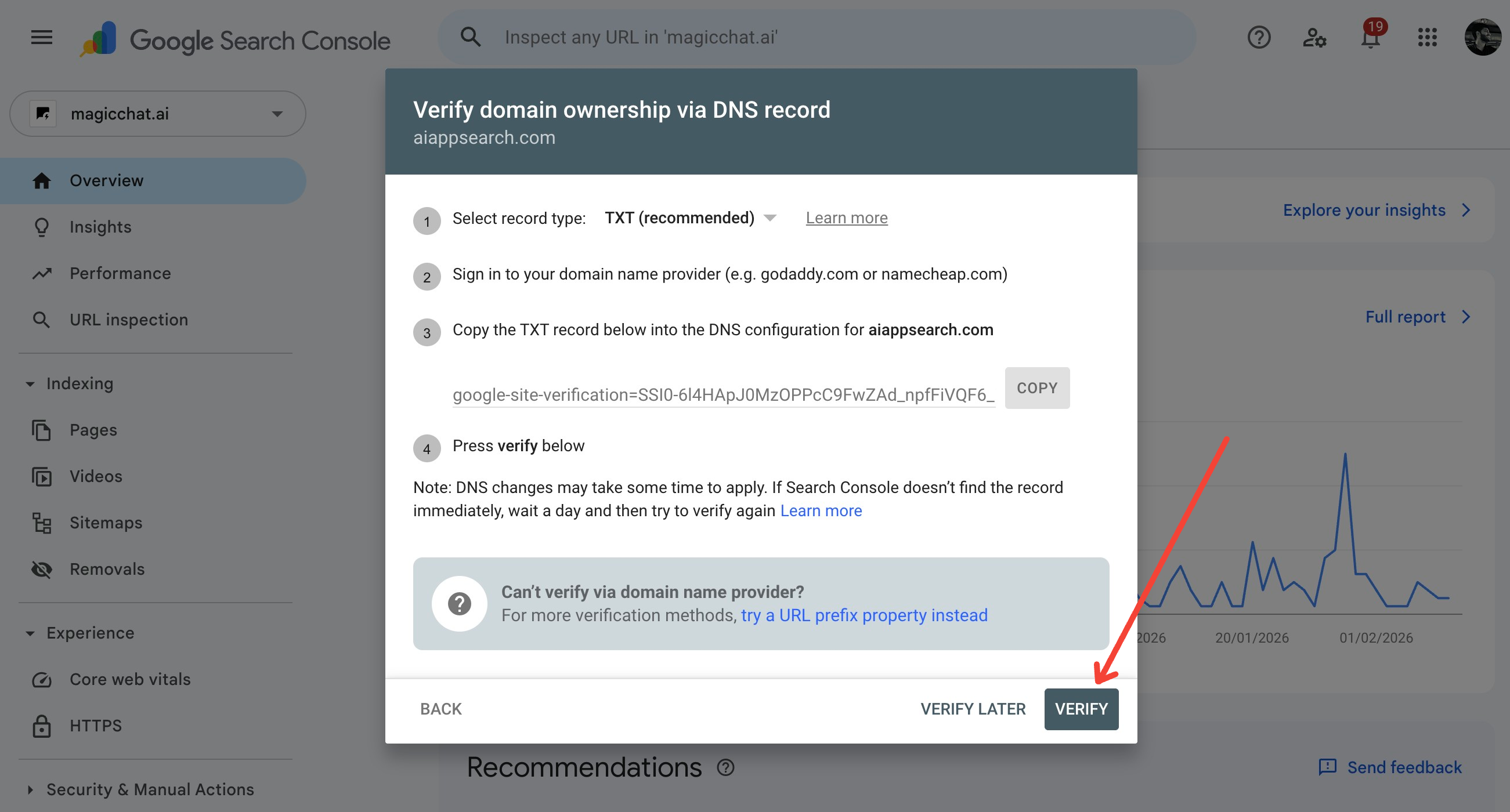
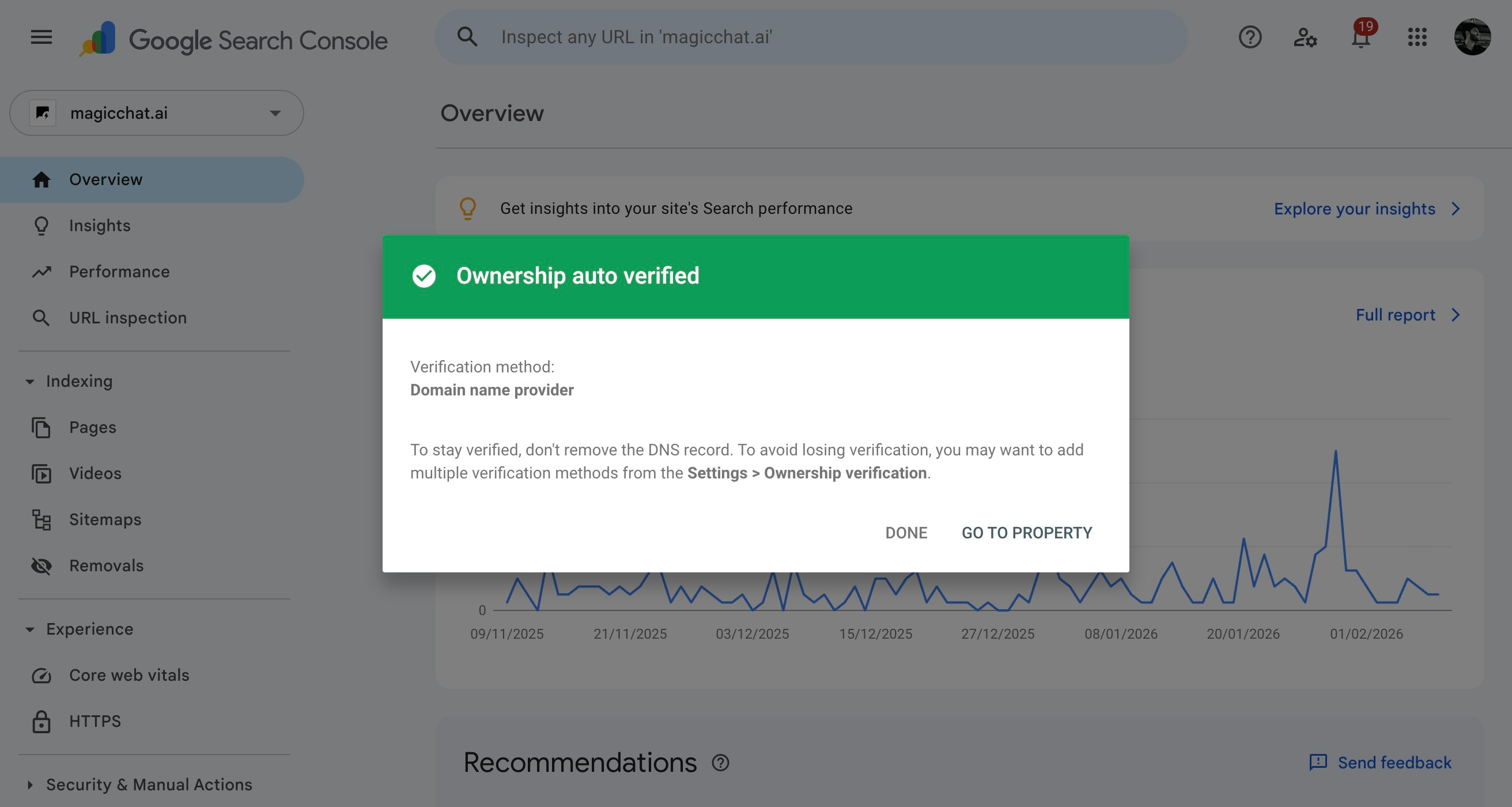

It’s not done yet, now your domain is connected now you need to inform google what are the urls you have on your website for that you need to have /sitemap.xml
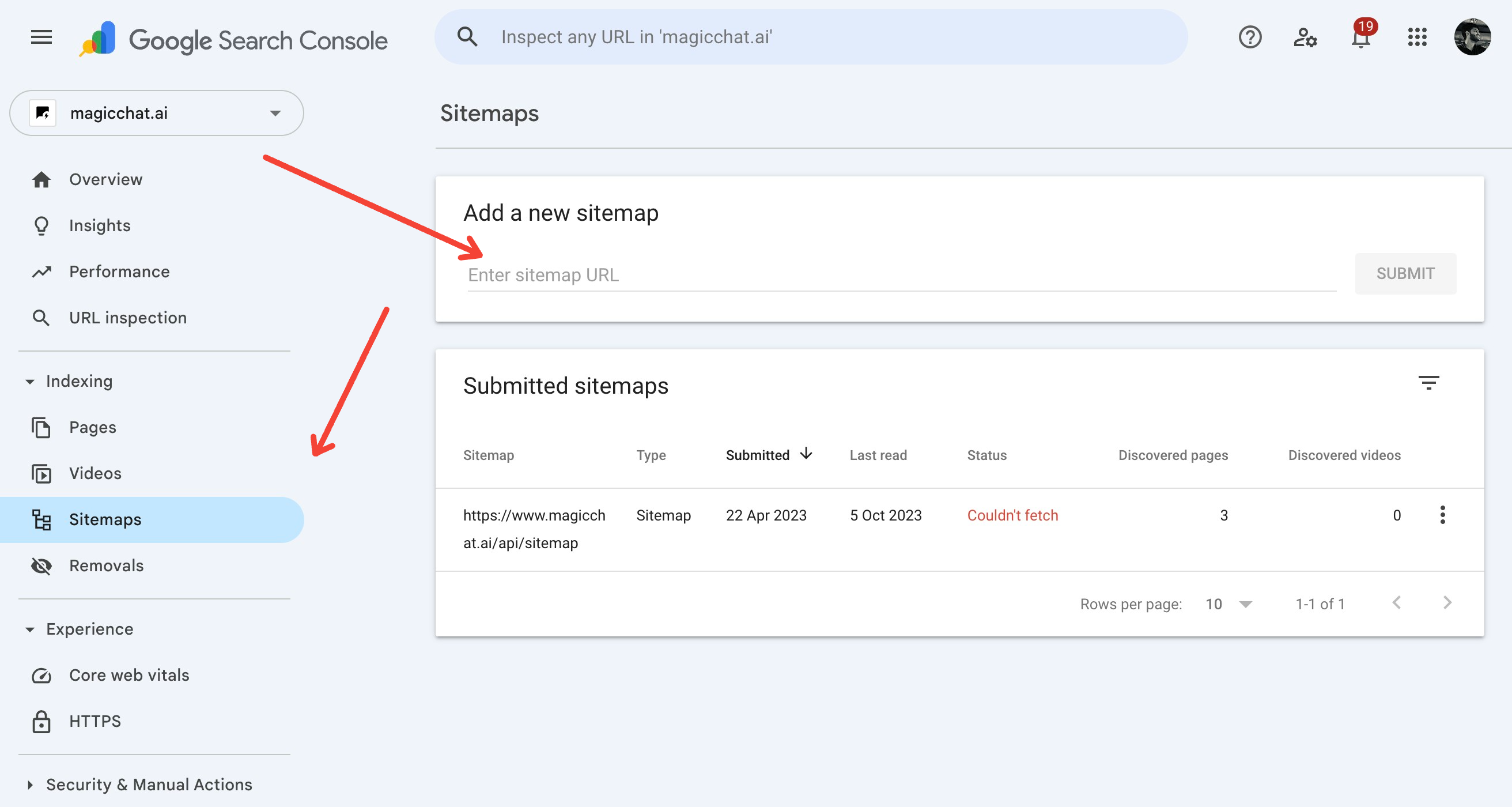
which you can add by entering the url here and clicking submit.
Now? well this is actually enough. Now it’s all about making backlinks to send users to your website
I don’t always do it but i try to link new domain from previous one.
that is all if this blog helps follow
https://www.instagram.com/sanskarr.tiwari
& share the reel with others
https://www.instagram.com/reel/DUjAKqRiHD7/?igsh=MW45eG40aWpxeGNoMw==