
Gamma AI vs Other AI Presentation Tools: Features, Pros & Cons Explained
If you’re struggling to create polished presentations or documents quickly, you’ve probably seen Gamma at SERP (online). If you are here, this means you want to understand everything about it. Don’t worry! I’m here to guide you not only with the same, but also the best AI presentation makers.
Overall, I’ll share my experiences and a detailed Gamma AI vs Other AI presentation tools comparison, so you can decide which one fits your budget and content needs best. First, let me explain what Gamma is.
What is Gamma.app?
Gamma.app is an AI tool that helps you create presentations, documents, and web pages without designing everything manually. This means, with this, you don’t have to start everything from scratch; instead, you can:
Rather than using tools like PowerPoint or Canva, where you drag and drop every element, Gamma allows you to type your idea in plain text, and it automatically turns it into a professional-looking slide.
It is useful for those who regularly have to create presentations, like:
Overall, Gamma.app uses AI to turn your ideas into ready-made presentations even if you’re not a designer.
How to Make a Presentation in Gamma?
As this is an AI solution, most tasks are automated. Personally, making a presentation in Gamma is quite quick and easy, and doesn’t require any design knowledge.
Here’s how you can create a complete presentation with this:
As you see, within seconds, Gamma created a well-structured presentation which you can use professionally, or even in schools or colleges.
What does a Gamma Presentation Look Like?
Here's the example of the final presentation that Gamma generated for me:
As per my personal experience, a Gamma presentation looks clean and easy to read. The headings are large, the text is short, and there’s required white space, so nothing feels cluttered.
The layouts are automatically aligned, and the color themes look professional. Gamma also adds simple icons and visuals to make the slides more engaging.
How does Gamma Compare to Other AI Presentation Solutions?
To further test Gamma's AI, we asked it to generate five types of decks: a pitch deck, a QBR, a marketing deck, an online course, and a how-to presentation.
Gamma's step-by-step workflow was fast and easy to follow. In terms of content, it is typical AI quality.
Visually, the decks looked nice, especially the pre-selected themes. The simple color palettes look sophisticated, and there's a nice balance between slide elements.
Speaking of visual design, however, Gamma reuses the same designs for every deck - just in different colors. This still makes them look relatively unique, but if you are looking for more customized templates, you may want to check out some of the other AI solutions for making presentations.
If you are coming from PowerPoint and Google Slides to Gamma, expect a learning curve with Gamma's editor. There's a lot of stuff going on: Notion-style slash commands, an AI chatbot, a main toolbar, mini-menus inside and between slides. It can take time to get used to it, but there is also a lot of functionality.
On a positive note, the drag-and-drop system is quite intuitive when it works. It's nice to be able to automatically go from three columns to four columns with one click (although that doesn't always work, depending on the layout). There are also great utilities, like if you need more graphics, there's a direct Unsplash and GIPHY search inside Gamma.
Finally, there are a lot of sharing options. You can share your deck using Gamma or download it as a PDF or PowerPoint (often requires downloading fonts, which is not a best practice for sharing PowerPoint files).
Like many of the other non-native AI presentation solutions, our Gamma deck had several formatting issues when exported to Google Slides and PowerPoint. In Google Slides, the fonts and line spacing were off. In PowerPoint, trying to fit a non-16:9 slide onto a 16:9 slide resulted in strange resizing and layout choices.
Overall, Gamma is a promising AI app. The AI drafts are quick and beautiful, and the variety of output formats is quite nice.
If you primarily use PowerPoint and Google Slides, the compatibility issues can be a problem, but we think it's a great tool for people who are looking for an alternative to the traditional presentation editors.
Gamma AI App Pricing
Gamma has three pricing tiers: Free, Plus, and Pro. New users are given 400 credits to explore the platform. They don't refresh, but you can maximize them by keeping this in mind:
The Plus subscription costs $10 per month for unlimited AI use and removal of the "Made by Gamma" branding.
Gamma's Pro tier is geared towards professionals and costs $20 per month ($15 a month for annual subscriptions). Aside from unlimited AI, Pro users can set up custom website domains, get detailed analytics, upload custom fonts, and generate up to 60 slides at once. They also get access to Gamma's most advanced AI features.
Gamma allows collaboration, but be ready for the sticker shock if you've got a big team, because only paying users can co-edit decks.
Gamma.app Reviews
User reviews are mixed for Gamma. It has 4.3/5 stars on the Microsoft store, 2.0 stars on TrustPilot, and 3.7 on Capterra. Below are some highlights:
Pros:
Cons:
Gamma.app AI Presentation Solutions Alternatives
Gamma.app has some really nice features, but it won't be the perfect fit for everyone.
If you are looking for alternatives, you can try these AI presentation tools instead:
Canva Magic Design for Presentations
– a graphic design app with an AI slide maker
#1. MagicSlides
MagicSlides is an AI presentation maker designed specifically for PowerPoint and Google Slides, making it a strong alternative to Gamma for users who want native slide compatibility without formatting issues.
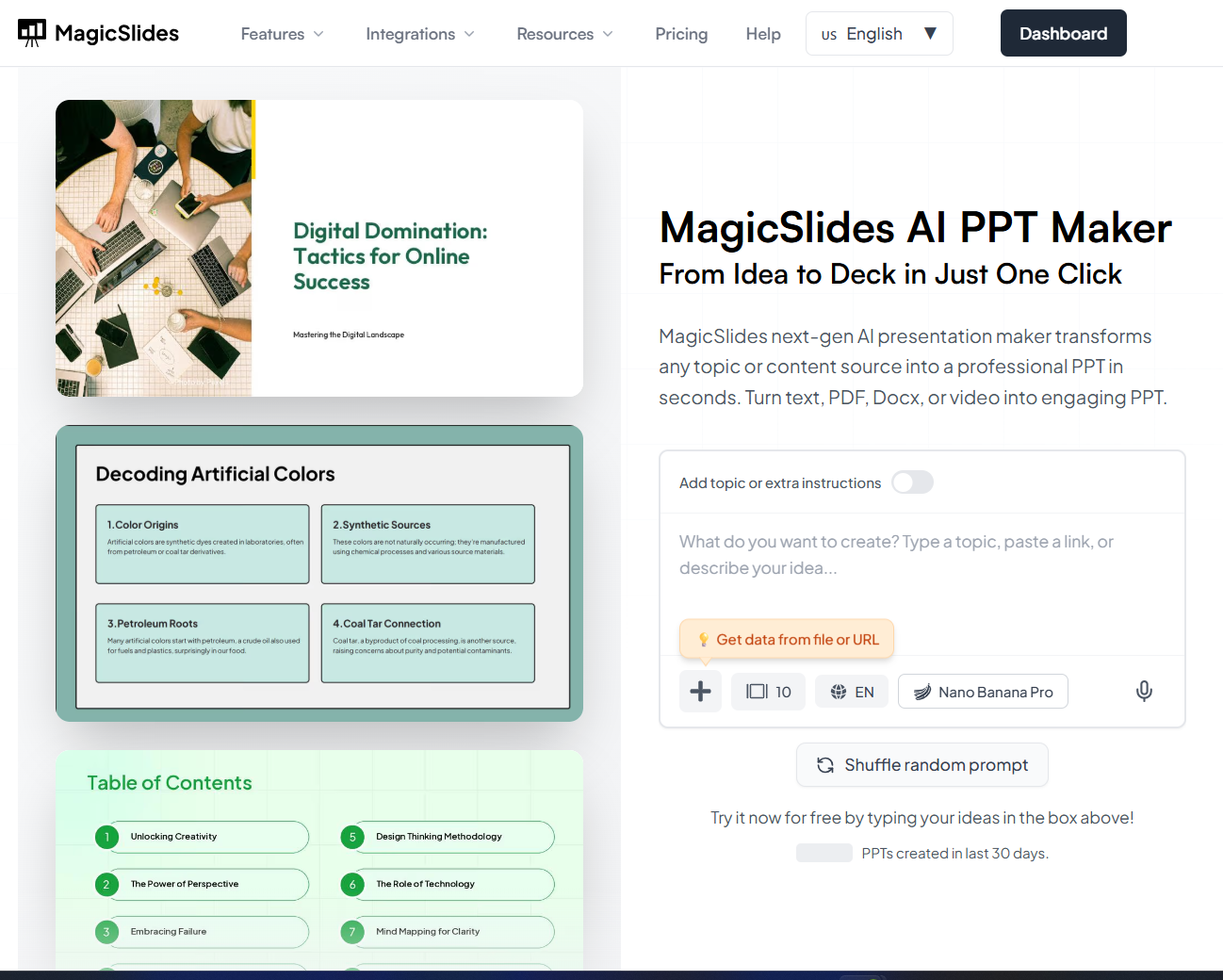
Instead of forcing you to switch to a new presentation editor, MagicSlides works directly inside the tools people already use. You can generate complete presentations by entering a topic, pasting text, or even converting documents into slides, all while keeping full control over your deck.
MagicSlides helps with:
Unlike Gamma, MagicSlides ensures that layouts, fonts, and spacing stay consistent when working in PowerPoint or Google Slides. This makes collaboration easier and avoids common export problems like broken formatting or missing fonts.
MagicSlides is especially useful for business users, educators, and professionals who need fast, editable presentations without learning a new platform. Since everything stays native, teams can collaborate seamlessly without requiring everyone to adopt a separate tool.
Overall, MagicSlides is a practical choice for users who want AI-powered slide creation without sacrificing compatibility, flexibility, or workflow speed.
#2. Tome
Tome treats presentations as a storytelling tool, focusing on visuals and interactive elements. As such, Tome has features similar to Gamma: video and audio recording, and the ability to embed content from apps like GIPHY or Figma. It also has a user-friendly drag-and-drop editor.
However, Tome's autoformatting doesn't work as well as Gamma's. Slides are usually overloaded with text. Adding element blocks can mess up the alignment.
Tome isn't compatible with Google Slides and PowerPoint, so you're facing design issues if you want to import decks from Tome. We break it down in more detail Tome vs Gamma comparison if you'd like to learn more.
Finally, Tome's free tier is more restrictive than Gamma; you get limited credits and no access to AI features. It'll cost you $20 a month for Tome Pro to properly explore the app's AI capabilities.
#3. Canva Magic Design for Presentations
Canva Magic Design is an AI graphic design tool that can generate slides from prompts. Its all-purpose nature means the slide content and designs aren't as good as specialist tools like Gamma and MagicSlides.app.
At 100 characters, Canva's prompt window is even more limited than Gamma's. You can upload documents, but they only work as visuals and won't add context to your prompt.
Being a separate app, don't expect your Canva presentations to render correctly in PowerPoint, and it's completely incompatible with Google Slides. It's certainly possible to create professional decks with Canva Magic Design, but the level of editing required makes it a better fit for experienced Canva users.
Learn more from our detailed review of Canva Magic Design for presentations.
Gamma.app FAQs
Gamma.app is owned by Gamma Tech, Inc. It was founded in 2020 by Grant Lee, James Fox, and Jon Noronha.
Unfortunately, Gamma is a proprietary presentation platform, so it is not compatible with PowerPoint. You can use Gamma to create a PPT file, but the formatting and layout of your PowerPoint file will not match the formatting inside of Gamma. If you'd like to create a native PPT file, try using MagicSlides.
Gamma does not have a PowerPoint add-in. You can export a Gamma presentation to PowerPoint, but it will probably result in formatting issues (e.g., missing fonts, layout problems, misplaced text boxes).
You can use Gamma for free, but you need a paid subscription to continue using Gamma once your credits are gone.
Gamma uses several methods to protect users, such as HTTPS encryption, limiting access to customer info, and regular safety audits.
Finding the Best AI Presentation Solution for You
The best way to choose your ideal AI solution for slides is to try them out to see how they fit into your workflow and needs.