The Ultimate Guide to Pecha Kucha Presentation- What, Why, and How to Make it Professionally.
Pecha Kucha Presentation is one of the most interactive and memorable Presentation styles in this generation. It guides presenters to be clear, short, and visually focused. Whether you’re preparing for a school seminar, a business meeting, or a product launch, mastering this can elevate your communication skills.
In this guide, you will learn about the Pecha Kucha presentation, why it is beneficial for presenters, and how to create one professionally. And the efficient tools to make this Presentation professional and attractive.
History of Pecha Kucha Presentation:
Pecha Kucha means chit-chat in Japanese; it originated in 2003 by two architects, Astrid Klein and Mark Dytham. They were looking for a way to keep presentations short, clear, engaging, and visually focused. Especially in creative industries, where meetings often run long with too much talking and too many slides.
Pecha Kucha presentation achieved worldwide popularity among presenters. With Pecha Kucha Nights held in over 1,200 cities worldwide, it gives professionals a platform to present their ideas in a structured and visually appealing manner.
Today, Pecha Kucha has expanded into schools, startups, corporate meetings, and conferences, making it one of the most recognized modern presentation styles.
What is a Pecha Kucha Presentation?
Pecha Kucha presentation consists of 20 slides, each displayed for 20 seconds, making the complete presentation takes 6 minutes and 40 seconds. This was designed to keep presentations fast, interactive, and crisp. Instead of slides with heavy text, Pecha Kucha displays visuals to guide your presentation and keep the audience’s attention without getting stressed.
Benefits of a Pecha Kucha Presentation
Pecha Kucha provides multiple clear advantages to make a presentation to the point and professional.
How to make a Pecha Kucha Presentation?
Step 1. Determine your idea:
Determining your idea is important in a Pecha Kucha Presentation, as it allows you to pinpoint important information you want to convey during the presentation. This helps to identify which data should be added and which to eliminate.
Step 2. Select the best visuals:
After identifying the key idea and supporting points of your presentation, make these points into visuals. Pecha Kucha heavily depends on images to convey your idea.
You can use text for context, but keep it short, avoid long text, because each slide is only 20 seconds.
Choose images that match your template,
Use High-quality and relevant images that stick to your idea. This makes the audience engaged.
Step 3. Arrange your Presentation:
Arranging your presentation properly is important in a Pecha Kucha presentation. Each slide should be only for 20 seconds. Start by organizing the main points in a logical order that shows a clear picture of your idea. Each slide should tell one key concept based on your main idea and change smoothly to the next, providing flow to your audience.
Keep focus on images that match your content. Just use text only for context.
Points to remember while arranging your slides:
Step 4. Keep Your Content Short and Focused:
Each slide lasts only 20 seconds, so preparing short and clear content is important. Write down the key points you want to say for each slide and make sure they match your visuals. Focus on short lines that guide your presentation naturally.
Step 5. Use Good Transitions and Perfect Closing Message:
A good Pecha Kucha presentation works best when each slide leads to the next. Design transitions that should link one idea to another. This keeps your audience interactive and maintains the clarity of your presentation. Make sure your final slide tells a perfect closing message that should match your content.
Step 6. Practice Timing:
Pech Kucha presentations are all about timing, so it is important to practice to get comfortable with the flow.
Revise your presentation multiple times, use a timer, and make sure each slide displays for 20 seconds and your flow with the presentation.
Though 20 seconds is short, don’t rush. Practice and make a presentation calmly.
Efficient tools for Pecha Kucha Presentation
Creating Pecha Kucha presentations is easy when you choose the right tools. Here is a quick look at MagicSlides.app, PowerPoint, and Canva.
#1. MagicSlide.app
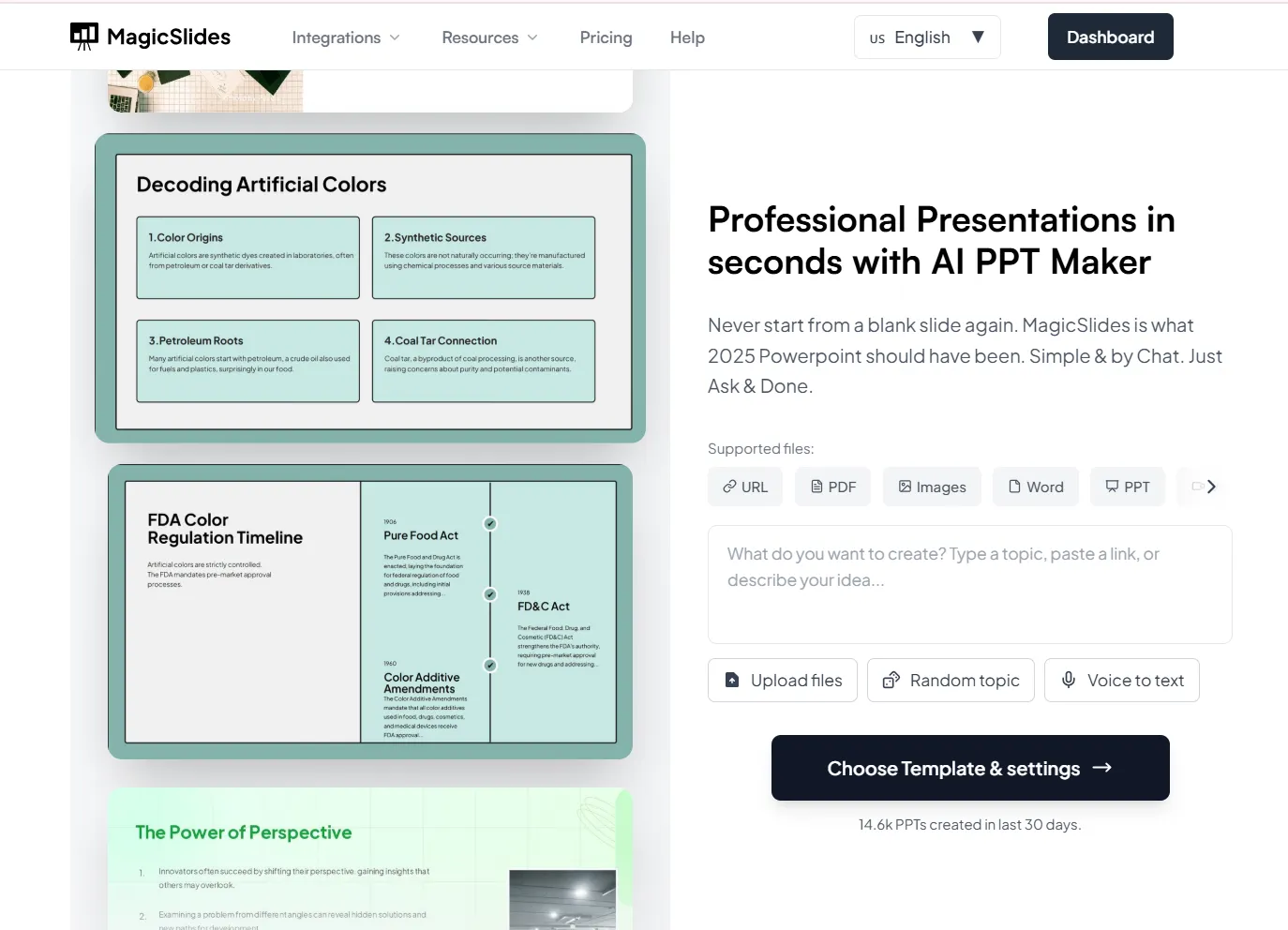
It is one of the best AI PPT Maker Tools, because it creates most of the presentation automatically. Instead of designing all slides yourself, you just enter a topic, and MagicSlides generates a full presentation in minutes.
Steps Involved:
Step 1: Open MagicSlides.app
Go to the MagicSlides.app website and log in. Once you are logged in, select Create New Presentation.
Step 2: Enter your Topic or Description
Type your presentation topic or a short description of it. The AI uses this information to create a slide with content automatically.
Step 3: Choose Your Style or Theme
Select a template. MagicSlides will apply this template to all slides for a professional look.
Step 4: Generate
Step 5: Edit and Customize if needed
Recheck the Slides and make any adjustments as per your needs. You can edit text, images, change colors, or rearrange content.
Step 6: Export Your Presentation
After your presentation is generated, use MagicSlide’s timing feature to make each slide change automatically every 20 seconds. After this, your Presentation becomes ready to present.
Step 7: Practice
Run the Slides, practice speaking with the given time limit.
Pros:
#2 Microsoft PowerPoint
PowerPoint is a familiar presentation-making tool. It provides varied features like slide timers, animation effects, and custom templates. It’s especially useful for presenters who prefer full control over their slides.
Steps Involved:
Step 1: Open PowerPoint and choose a clean template
Select a simple template, as Pecha Kucha completely depends on visuals, so avoid a template with more designs. Choose layouts that focus on images beyond text.
Step 2: Set Up the 20 Slides
Create exactly 20 slides, as required for the Pecha Kucha format. Keep one idea in each slide.
Step 3: Add Visuals
Insert high-quality images or illustrations that match your content. Use very limited text, just one short phrase or heading if needed.
Step 4: Set Slide timing
Go to transitions, click Advance Slide, and click After. Set the duration to 20 seconds for each slide.
This helps you to run the slide automatically.
Step 5: Keep Your Design Consistent
Use the same color, font, and layout for all the slides. This gives you a professional look.
Step 6: Practice
Play the slideshow and practice speaking along with the 20-second time limit.
Pros:
Cons:
#3. Canva
Canva is a good tool for beginners and those who want to create visually engaging presentations quickly. Its drag-and-drop option makes it easy to add images, icons, charts, and text without any design skills.
Canva also offers more ready-made templates, allowing users to start designing immediately, without worrying about layout and color patterns.
Steps Involved:
Step 1: Choose a Template
Open Canva and search for presentation templates. Select a simple template. Avoid difficult designs as Pecha Kucha requires more visuals.
Step 2: Create 20 Slides
Add 20 slides of your design, not more than that. You can make duplicate slides to maintain consistency in color, layout, and spacing.
Step 3: Add Visuals
Use the Canva library for Photos, icons, and illustrations. Insert high-quality images that clearly support every point of your presentation. Keep text very limited, just a phrase or a keyword if needed.
Step 4: Set Timing
Click Present, go to presenter view, Auto-play, and set the timing to 20 seconds per slide
Step 5: Practice
Play your presentation in auto-play mode and practice speaking within the given time limit.
Pros:
Cons:
Final Thoughts
Pecha Kucha Presentation needs you to communicate with clarity and creativity. Using the right tools can make this process much easier. Traditional tools like PowerPoint and Canva allow for customization, but they are time-consuming and often require manual effort.
MagicSlides.app, can generate a fully structured presentation in minutes with a professional layout, High-quality images. MagicSlides saves your time and lets you focus on practicing and presenting.
Quick FAQ’s
Q1. How long is a Pecha Kucha Presentation?
It takes 6 minutes 40 seconds, 20 slides, each slide 20 seconds.
Q2. Can I edit the slides generated by MagicSlides?
Yes, you can edit the text, images, layout, and design to your ideas
Q3. Is MagicSlides beginner-friendly?
Yes, MagicSlide is beginner-friendly because it automatically generates slides from your topic. You don’t need design skills, and slides can be customized if needed.
Q4. What makes Pecha Kucha different from other Presentations?
Pecha Kucha is quick, clear, and visually focused, unlike other presentations, which have long slides, heavy text, and hours of explanation. This keeps the audience engaged and interactive.
Q5. How many words should I use on each slide?
Keep it very short, 5-10 words or a short heading. The focus should be on visual images rather than bulk text.